Choose how an AI agent connects to Finaxis
An AI agent is a tool that works in several steps on its own: Claude Code, Codex, OpenClaw, Hermes Agent and others. It connects to Finaxis through the MCP server at https://api.finaxis.ai/mcp, in one of two ways: with your own access, or with a service account. This page helps you choose before you connect it.
Before you start
- A service account requires the administrator role: see Create a service account.
Two ways to connect
Finaxis accepts both on its MCP server. Pick one per agent, based on whom the agent works for.
| Your own access | A service account | |
|---|---|---|
| How it connects | You approve the connection in Finaxis, or you create a personal API credential | An administrator creates a service account in Settings, API |
| Acts as | You, never beyond your role | The instance, within the scopes chosen for it |
| When the person leaves | The access stops | The access keeps working |
| In the activity log | Your name, marked as done through the API, for example Nova via API (MCP) | The name of the service account |
| How long it lasts | The approved connection lasts 12 months, then you approve it again | Its secret expires on the date shown in Finaxis; each access token lasts one hour |
| Typical use | An agent that works for you: Claude Code or Codex on your computer, OpenClaw or Hermes Agent answering you | An agent that works alone: a scheduled job, a custom connector, an agent on a server |
Use your own access when the agent works for you
- The agent answers your questions and prepares your work, while you are there to review it.
- Everything it does carries your name, so your colleagues know who acted.
- The agent tool renews the connection by itself: you approve it once, then again after 12 months.
Use a service account when the agent works for the company
- The agent runs on a schedule or on a server, with nobody to approve a connection.
- It must keep working when a member leaves.
- You want its access limited to what the job needs, under its own name in the request log.
Please note: A shared agent in a chat channel: if one connection serves everyone who writes to the agent, they all get the rights of that connection. Give such an agent a service account limited to what the whole channel may see, or connect each person separately.
What changes with a service account
The access token of a service account lasts one hour and comes without a renewal token. The agent tool must ask for a new one, which each tool does differently.
| Tool | How it gets a fresh token |
|---|---|
| Claude Code | A headersHelper script, run each time Claude Code connects |
| Codex | An http_headers_helper script, run again when Finaxis refuses an expired token |
| Hermes Agent | A secrets command, run each time Hermes starts: ideal for a scheduled job |
| OpenClaw | The token is read when the Gateway starts: restart it with a fresh token, or use your own access |
Follow what the agent does
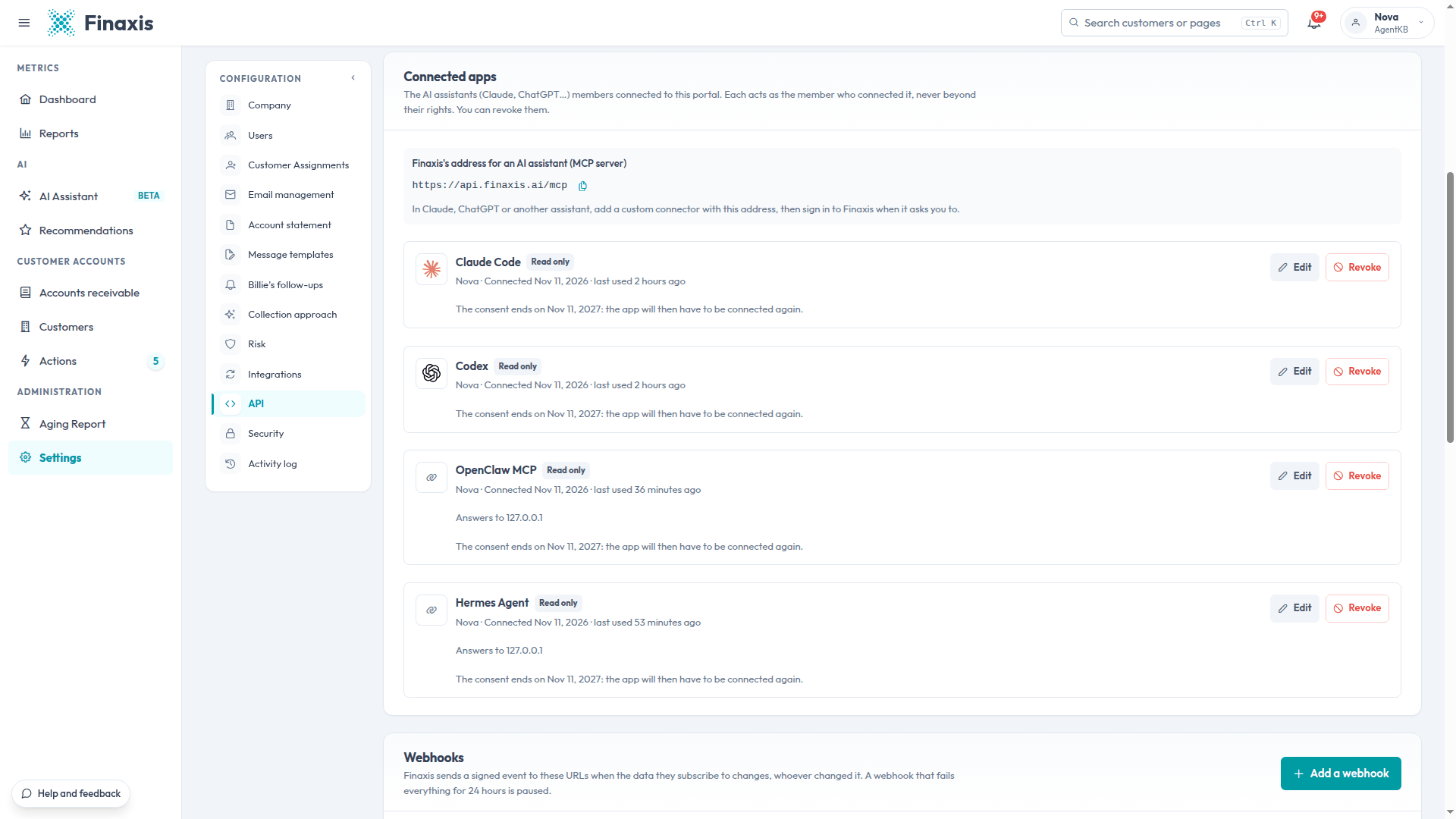
In Settings, API, the Connected apps section lists the agents connected with a person's access, with their access level and their last use. You revoke one in a click, without your password.
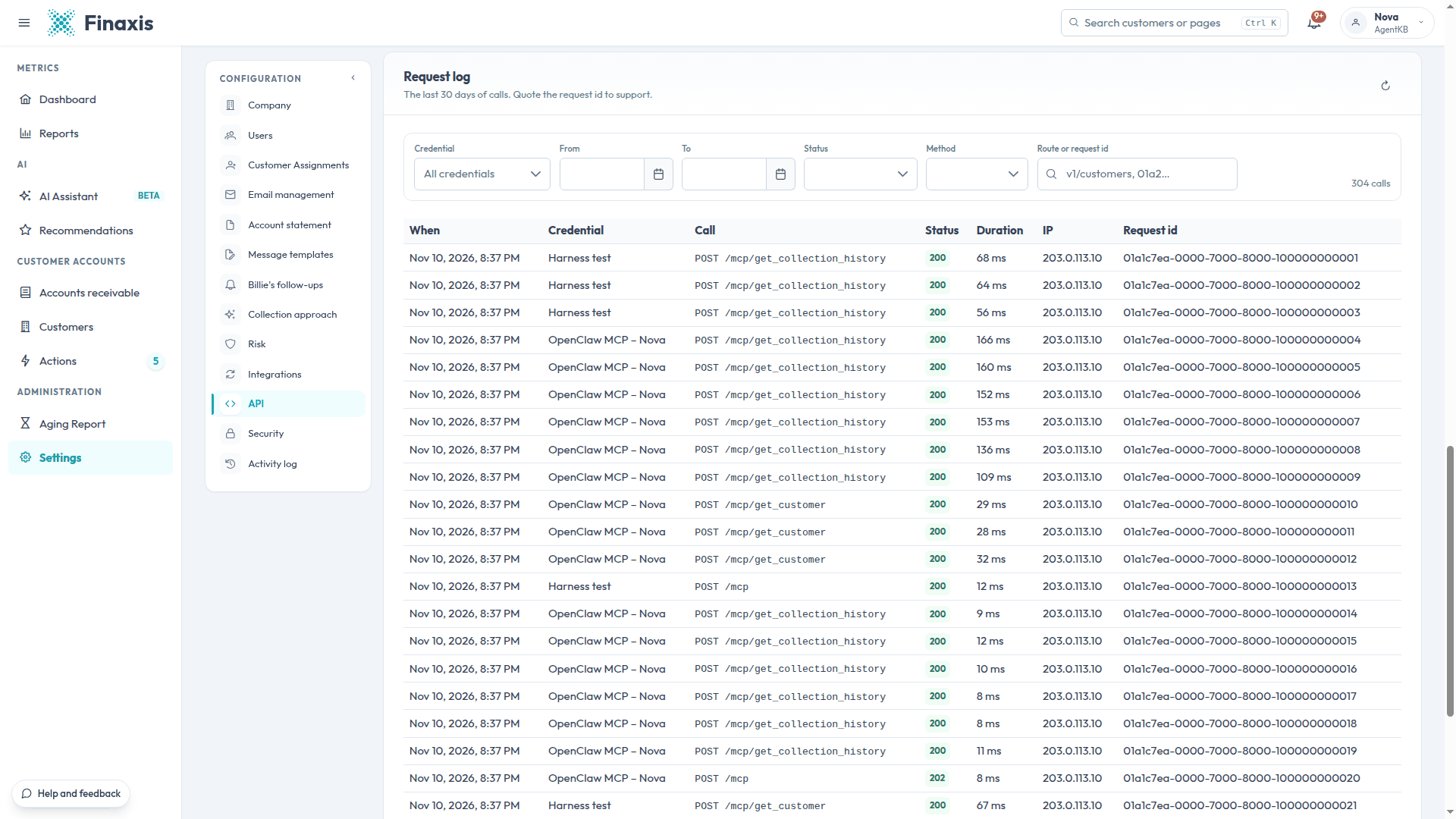
The request log names each call after the agent and the member, or after the service account.
Connect your agent
Step-by-step guides: Claude Code, Codex, OpenClaw, Hermes Agent. For an assistant such as Claude, ChatGPT, Gemini or Perplexity, see Connect an AI assistant to Finaxis.
Need help connecting your agent? Write to support@finaxis.ai with the request id from the request log, and our team will help you.
Related articles
Can't find what you're looking for?
Our support team is here to help.