Follow API calls in the request log
Last updated on
Applies to: All plans
Lire en français
The request log lists every call made to Finaxis with your API credentials and by the AI assistants you connected, for the last 30 days. Use it to check that an integration works, to see what an assistant read, or to find the request id that support asks for when a call fails.
Before you start
- In Settings, then API, an administrator sees the calls of every credential of the instance, including members' personal credentials and connected apps.
- In My Profile, then API, every member sees the calls of their own credentials and connected apps.
Open the request log
- Open the API page: Settings, then API, or your name at the top right, My Profile, then API.
- Scroll down to Request log. The newest calls come first.
- To narrow the list, choose a Credential, a From and To date, a Status or a Method, or search under Route or request id.
- Click the refresh button at the top right of the section to see the latest calls.
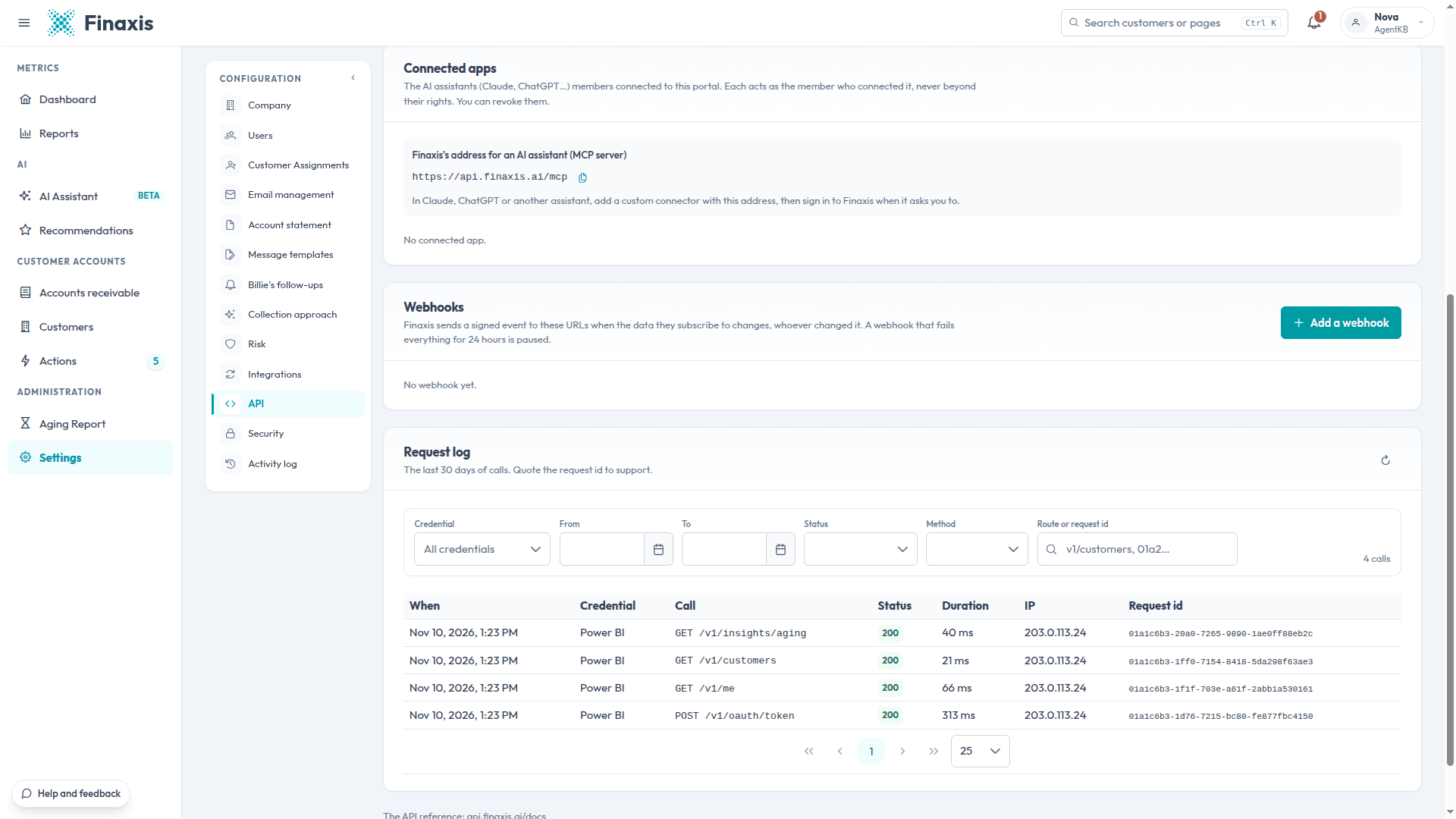
Read a line
| Column | What it shows |
|---|---|
| When | The date and time of the call. |
| Credential | The credential or the connected app that made the call. In Settings, a member's credential also shows the member's name. |
| Call | The method and the route that was called. |
| Status | The answer Finaxis gave. 200 means the call succeeded. |
| Duration | How long Finaxis took to answer. |
| IP | The address the call came from. |
| Request id | The unique reference of the call, to give to support. |
The calls of a revoked credential stay in the log, under its client ID.
Give the request id to support
When a call fails, find it in the log, copy its Request id, and send it to support@finaxis.ai with the time of the call. Our team finds the call with it. Never send the secret itself.
Troubleshooting
| Situation | What to do |
|---|---|
| A call does not appear | It is older than 30 days, it was made with another member's credential, or a filter hides it. Clear the filters and refresh. |
| Calls come from an IP address you do not know | The secret may have leaked. Rotate it with expires now, or revoke the credential. |
A call fails and you do not see why? Write to support@finaxis.ai with its request id, and our team will help you.
Related articles
Can't find what you're looking for?
Our support team is here to help.