Create a service account
A service account is an API credential that belongs to your instance, not to a person. Give one to each company system that works with Finaxis: an ERP that sends its invoices, a reporting tool that reads your aging, a data warehouse. It acts within the scopes you give it, keeps working when a member leaves, and you see every call it makes.
Before you start
- Creating a service account requires the administrator role. For your own scripts, create a personal API credential instead.
- The person who builds the integration needs the API reference, at api.finaxis.ai/docs.
Create the service account
- In the left menu, click Settings, then API.
- Under Service accounts, click New service account.
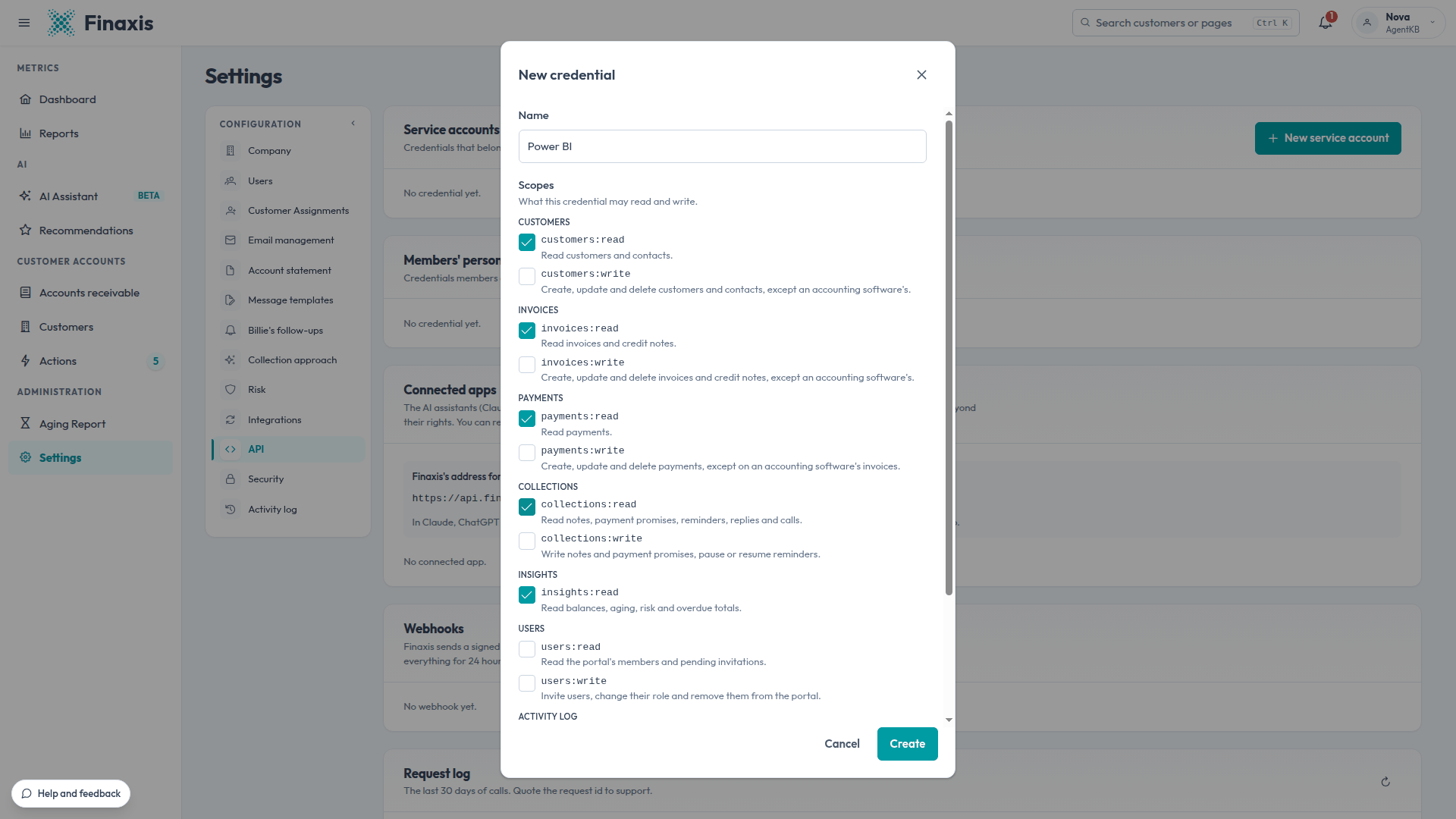
- In Name, enter the system the credential is for, for example Power BI. This name appears in the request log and the activity log.
- Under Scopes, check what the credential may read and write. Give it only what the system needs.
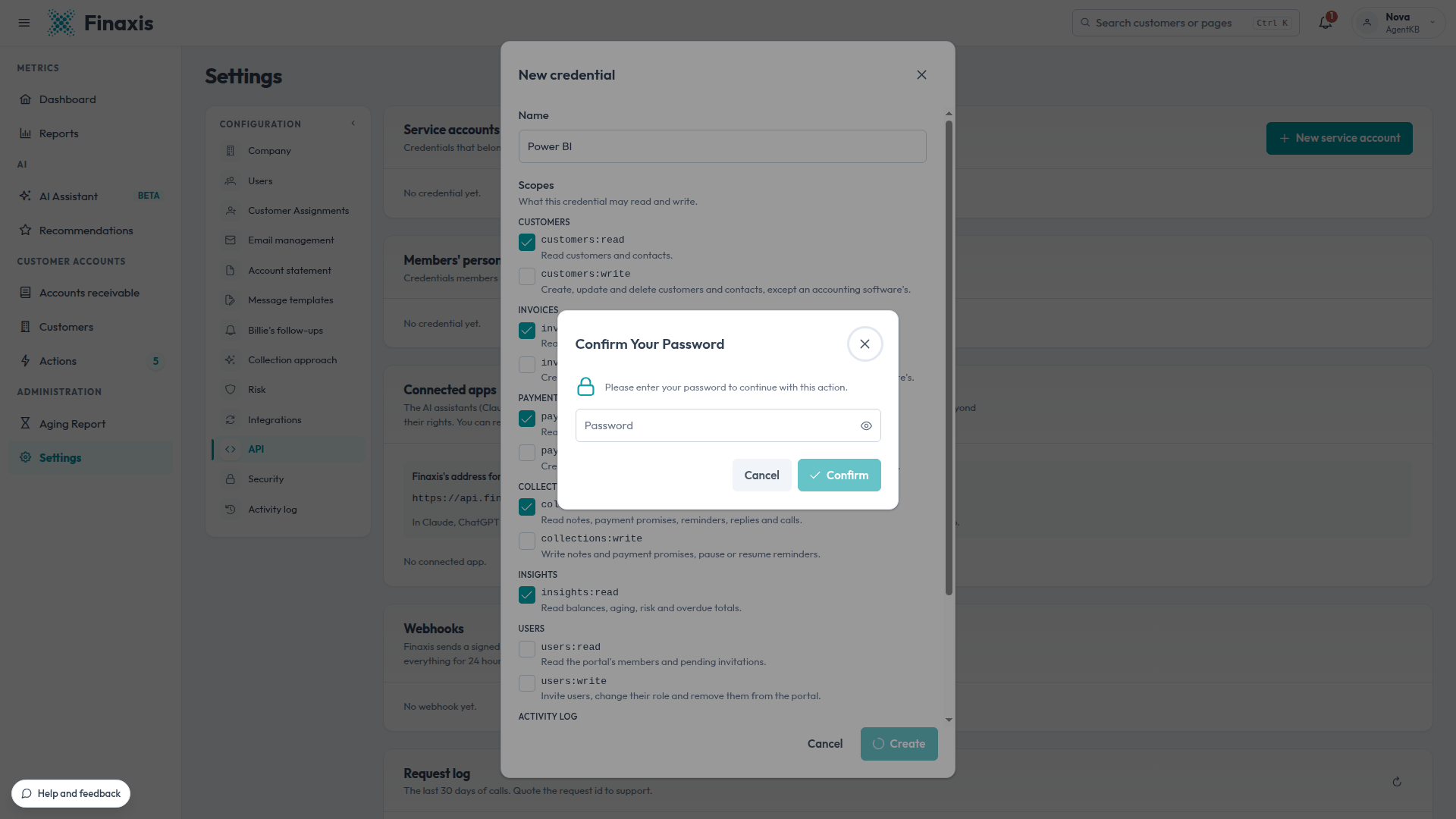
- Click Create. If Finaxis asks you to confirm your password, enter it, then click Confirm.
- Under Your new secret, copy the client_id and the client_secret with their copy buttons, and store them in the system or in your password manager.
- Click I copied it.
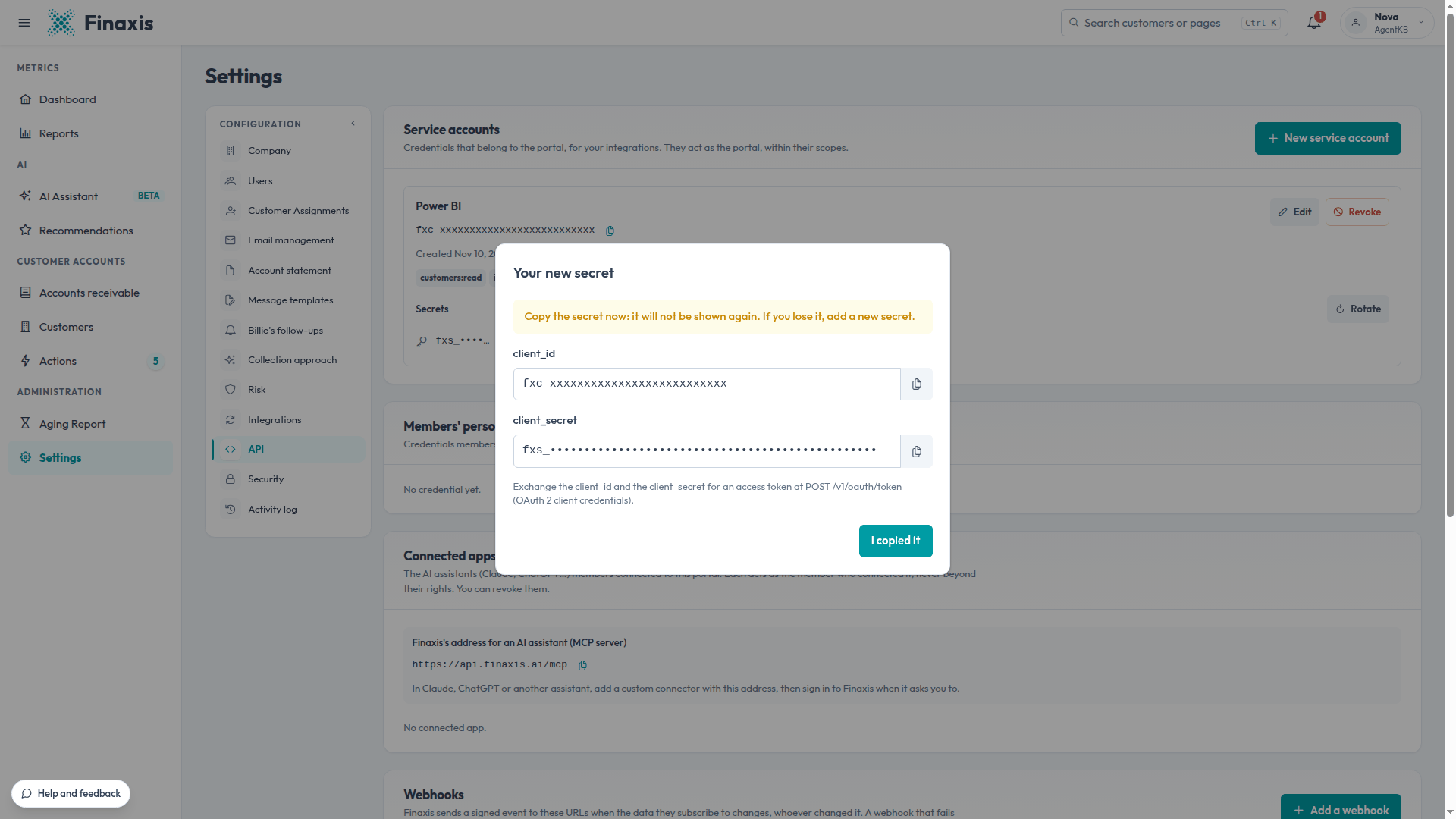
Please note: Finaxis shows the secret once. Once you close the window, nobody can read it again, not even an administrator. If you lose it, rotate the secret.
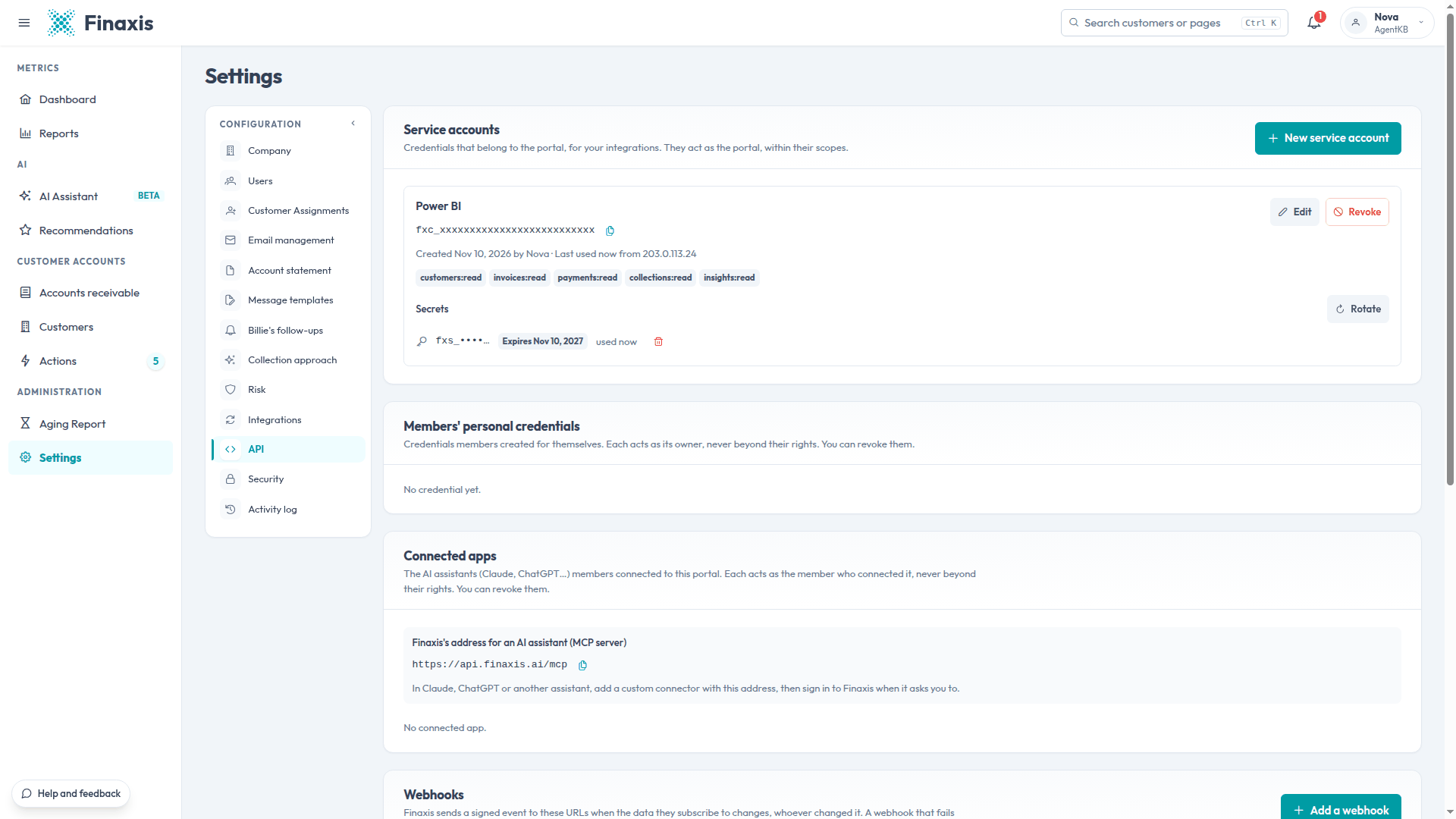
The service account then appears under Service accounts, with its client ID, its scopes, who created it, and when and from which IP address it was last used.
Please note: Good practice: create one service account per system, and never share one between two systems. Each system's calls and writes then carry its own name in the request log and the activity log, and you can rotate or revoke its access without cutting off the others.
What each scope allows
Writes never touch what comes from your accounting software. Customers, invoices and payments synchronized from QuickBooks or Acomba change in that software, not through the API.
| Scope | What the credential can do |
|---|---|
| customers:read | Read customers and their contacts. |
| customers:write | Create, update and delete customers and contacts, except those of an accounting software. |
| invoices:read | Read invoices and credit notes. |
| invoices:write | Create, update and delete invoices and credit notes, except those of an accounting software. |
| payments:read | Read payments. |
| payments:write | Create, update and delete payments, except on an accounting software's invoices. |
| collections:read | Read notes, payment arrangements, reminders, replies and calls. |
| collections:write | Write notes and payment arrangements, pause or resume a customer's reminders. |
| insights:read | Read balances, aging, risk and overdue totals. |
| users:read | Read the instance's members and pending invitations. |
| users:write | Invite users, change their role and remove them from the instance. |
| activity_logs:read | Read the instance's activity log. |
| webhooks:manage | Manage the credential's webhooks. |
| ai:use | Use the AI business tools: an overdue summary, the explanation of a customer's risk, a reminder draft. |
To change the name or the scopes later, click Edit on the service account's row. The system then asks for a new access token to use the new scopes.
Use the service account
The system exchanges the client ID and the secret for an access token, valid for one hour, then calls the API at https://api.finaxis.ai. The API reference describes every call, with examples in several languages, and is kept up to date with the API: api.finaxis.ai/docs.
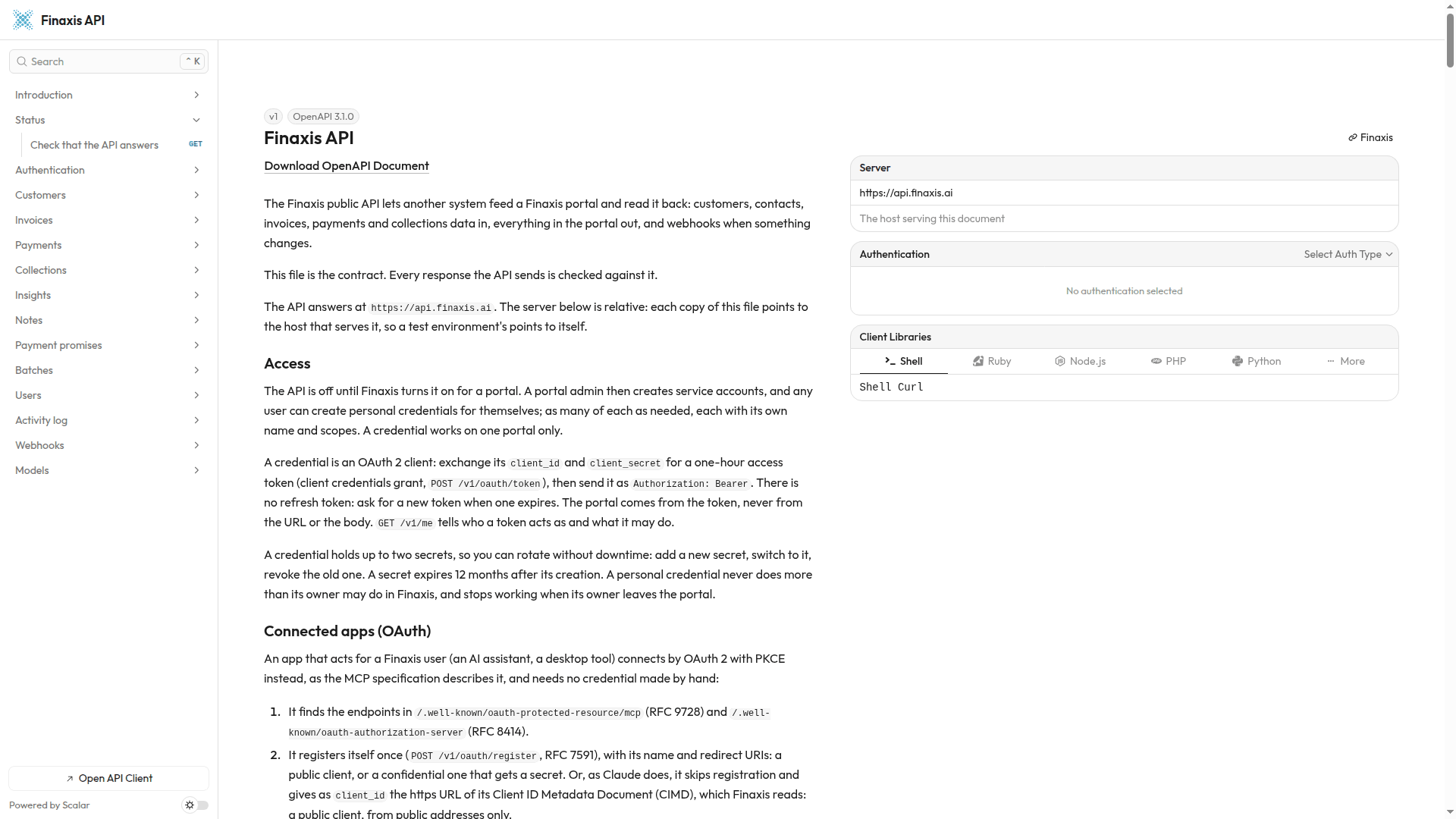
- Every record carries a link to its page in Finaxis.
- What a service account writes is labelled API – Power BI in the activity log and on the customer page, with the name you gave it.
- Customers, invoices and payments created through the API have the origin API, and your team can edit them in Finaxis like those entered by hand.
Troubleshooting
| Situation | What to do |
|---|---|
| There is no API entry in Settings | You do not have the administrator role, which service accounts require. Ask an administrator, or create a personal credential for your own scripts. |
| You lost the secret | Rotate the secret. The new one is shown once. |
| The API refuses the client ID and secret | The secret expired or was replaced, or the service account was revoked. Check the Secrets list on its row. |
| The API refuses a call for lack of rights | Add the missing scope with Edit, then ask for a new access token. |
Need help with your integration? Write to support@finaxis.ai with the request id of the call, and our team will help you.
Related articles
Can't find what you're looking for?
Our support team is here to help.