Rotate an API secret
A rotation gives an API credential a new secret while the old one keeps working for a few days, so your system switches over without interruption. Rotate before the secret expires, when someone who knew it leaves, or at once if it may have leaked.
Before you start
- An administrator rotates the secrets of service accounts in Settings, then API. Every member rotates the secrets of their own credentials in My Profile, then API.
- Have access to the system that uses the secret, so you can put the new one in.
When a secret expires
A secret expires 12 months after its creation. Its expiry date turns orange 30 days before, then red seven days before, and Finaxis notifies you. A credential holds two secrets at most: the current one and the one replacing it.
Rotate the secret
- Open the API page where the credential is listed.
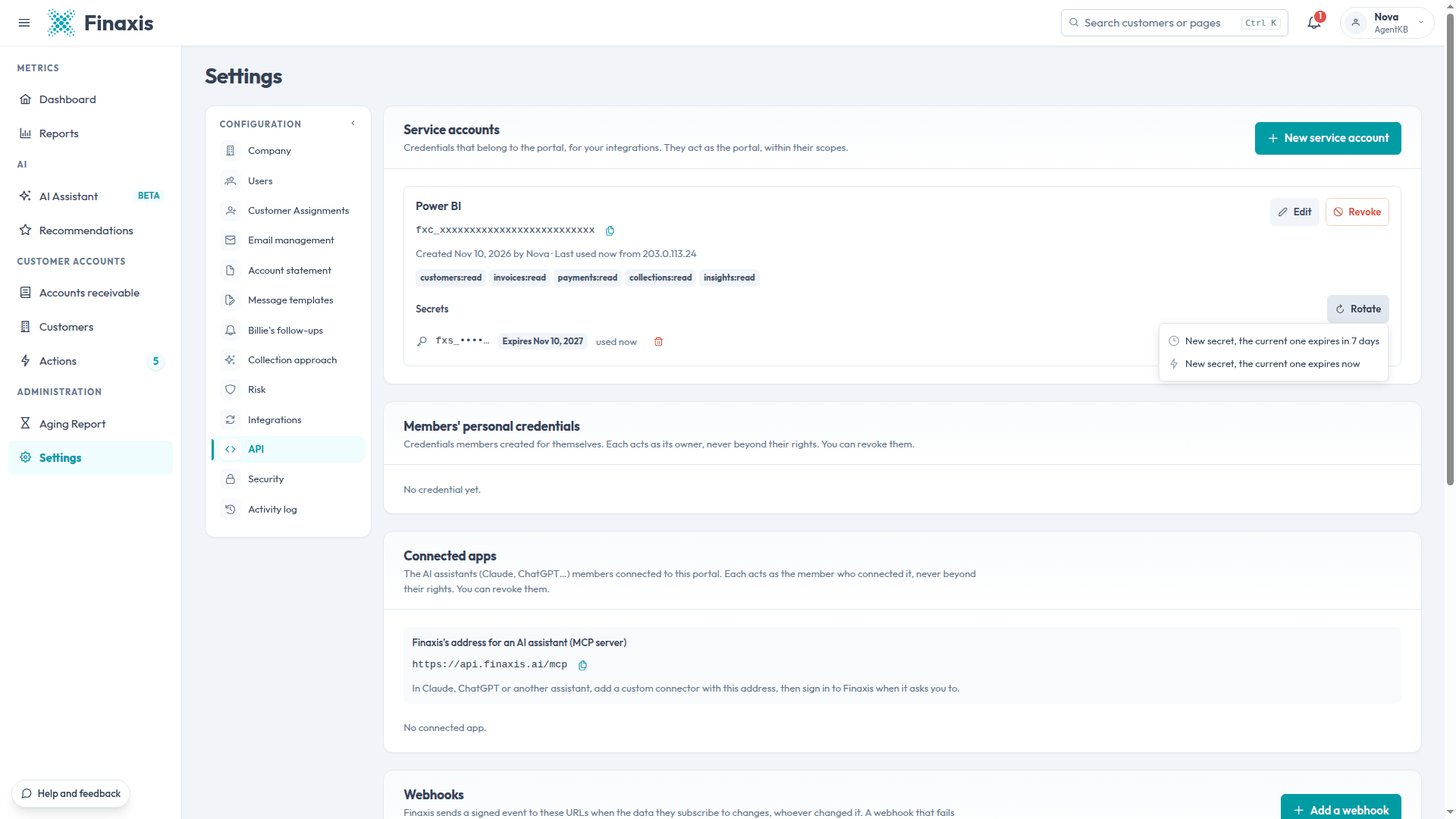
- On the credential's row, click Rotate.
- Choose New secret, the current one expires in 7 days to leave time to update the system, or New secret, the current one expires now if the secret may have leaked.
- Copy the new client_secret, then click I copied it. Finaxis shows it once.
- Put the new secret in the system. Under Secrets, the old one reads Replaced, expires with its end date.
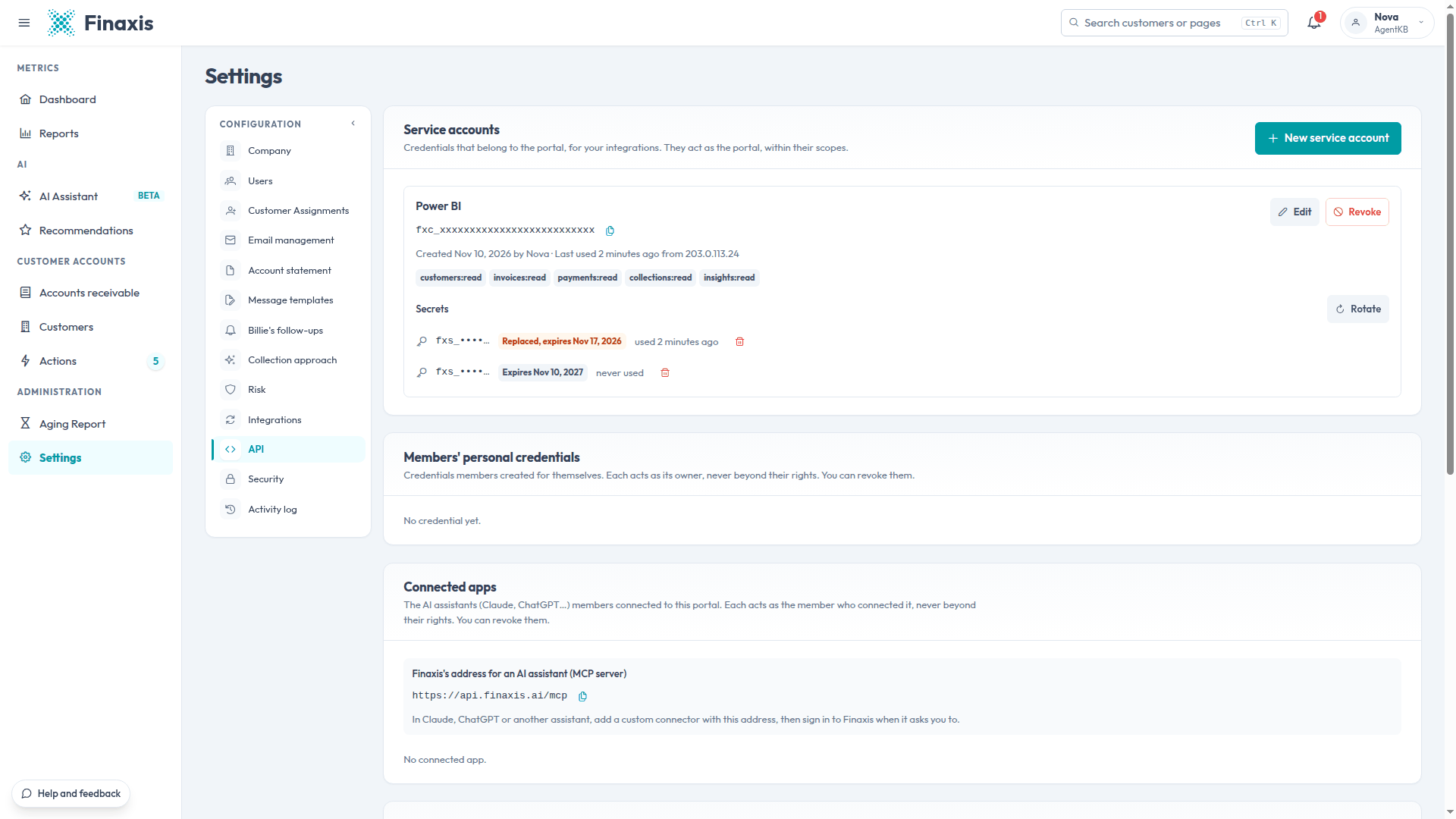
The client ID does not change: only the secret does. To check that the system uses the new secret, look at the used mention under each secret, or at the request log.
Troubleshooting
| Situation | What to do |
|---|---|
| You lost the secret | Rotate it. Choose expires now if someone else may have it, otherwise expires in 7 days. |
| The system stopped working after a rotation | The old secret expired before the system received the new one. Put the new secret in the system. If you lost it too, rotate again. |
| There is no Rotate button | In My Profile, you only see your own credentials. Service accounts are in Settings, for administrators. |
A secret may have leaked and you need help? Write to support@finaxis.ai, and our team will help you.
Related articles
Can't find what you're looking for?
Our support team is here to help.