Revoke an API credential
Last updated on
Applies to: All plans
Lire en français
Revoke a credential when a system no longer needs Finaxis, when a secret may have leaked, or after you disconnect an AI assistant, since some assistants leave their connection in Finaxis. The credential stops at once, with all its secrets, its access tokens and its webhooks.
Before you start
- Revoking cannot be undone. To replace only a secret and keep the credential, rotate it instead.
Revoke a credential
- Open the API page where the credential is listed: Settings, then API, or your name at the top right, My Profile, then API.
- On the credential's row, click Revoke.
- Click Revoke again to confirm.
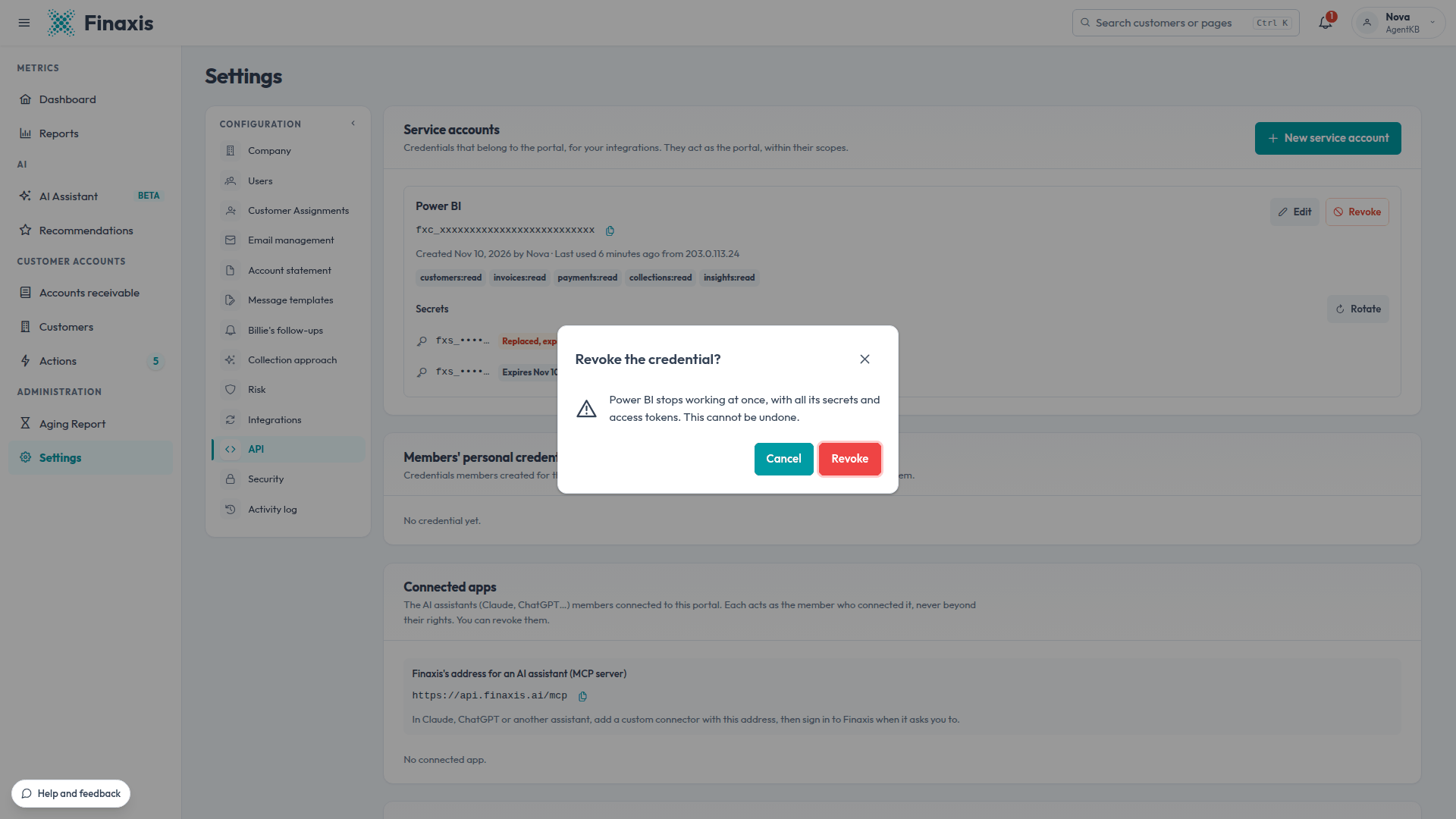
The credential leaves the list. Its past calls stay in the request log, under its client ID, and its webhooks are deleted.
Who can revoke what
| Where | Who | What you can revoke |
|---|---|---|
| Settings, then API | An administrator | The service accounts, under Members' personal credentials every member's credentials, and under Connected apps every member's AI assistants. |
| My Profile, then API | Every member | Their own credentials, under My API credentials, and their own AI assistants, under Connected apps. |
When a member leaves the instance, their personal credentials and connected apps are revoked with their webhooks.
Troubleshooting
| Situation | What to do |
|---|---|
| You revoked a credential by mistake | A revocation cannot be undone. Create a new credential, put its client ID and secret in the system, and add its webhooks again. |
| An AI assistant still shows Finaxis as connected | Its next call to Finaxis fails. Disconnect Finaxis in the assistant too, so it stops trying. |
A secret may have leaked? Revoke the credential, then write to support@finaxis.ai, and our team will help you check its calls.
Related articles
Can't find what you're looking for?
Our support team is here to help.