Create a personal API credential
A personal API credential lets your own scripts and tools work with Finaxis as you: a spreadsheet that reads your aging, a script that adds notes to your customers. It never goes beyond the rights of your role, it stops if you leave the instance, and what it writes carries your name.
Before you start
- Every member can create personal credentials. For a system that belongs to the company, an administrator creates a service account instead.
- To connect an AI assistant such as Claude or ChatGPT, you do not need a credential: see Connect an AI assistant to Finaxis.
Create the credential
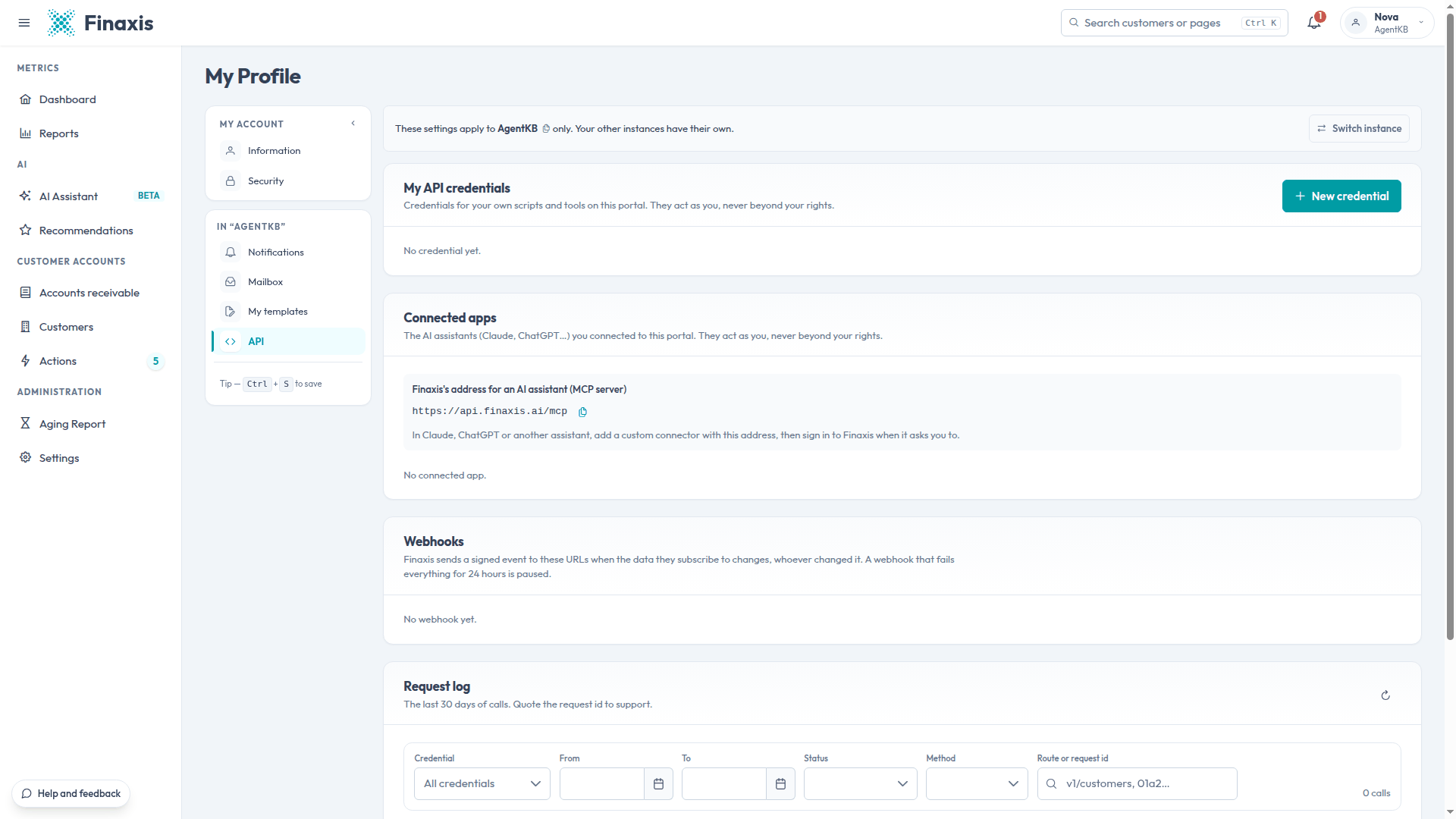
- At the top right, click your name, then My Profile.
- In the left menu, under the name of your instance, click API.
- Under My API credentials, click New credential.
- Enter a Name and check the Scopes. You can only give a credential what your role allows.
- Click Create, and confirm your password if Finaxis asks.
- Under Your new secret, copy the client_id and the client_secret, then click I copied it.
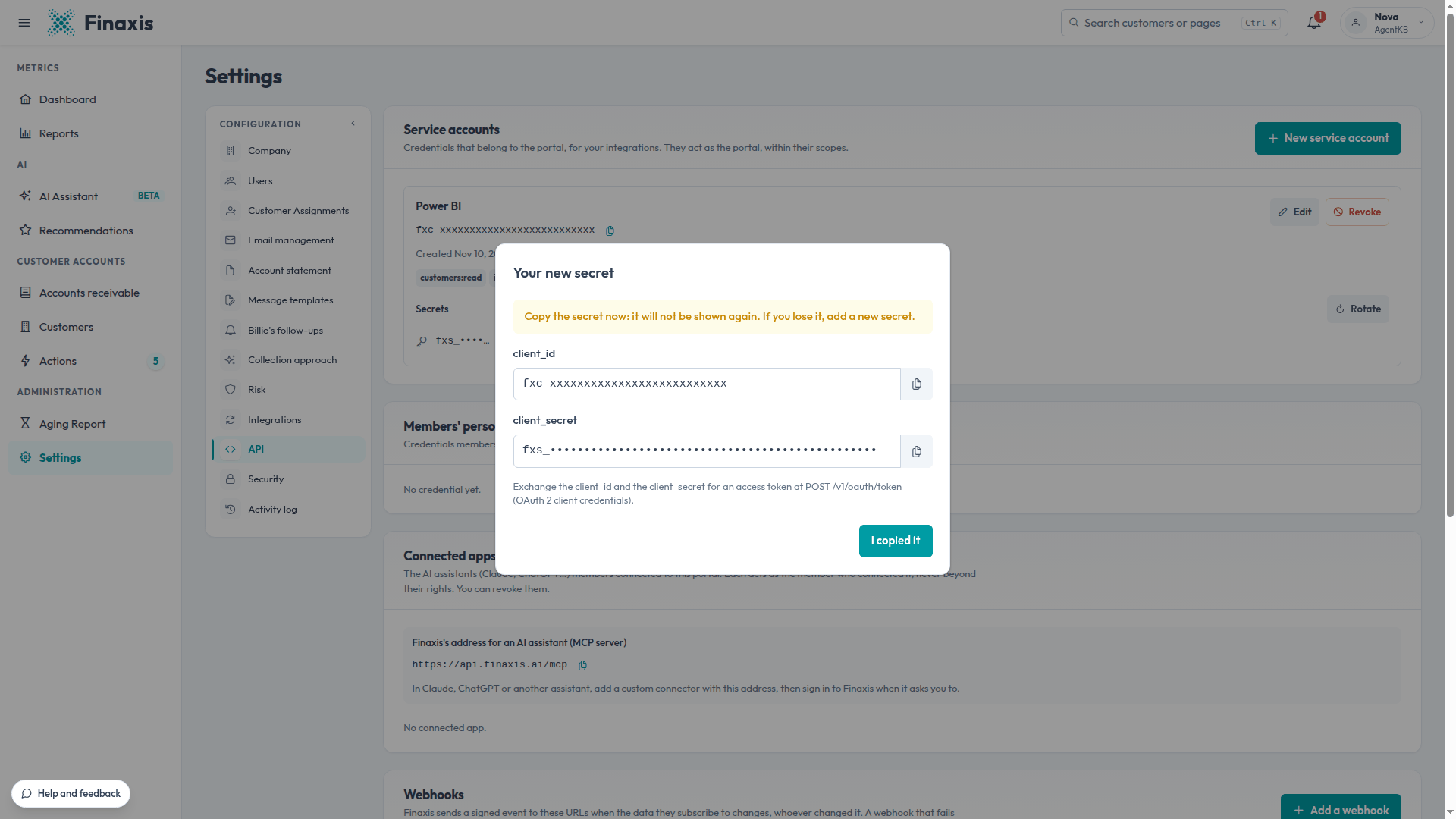
Please note: Finaxis shows the secret once. If you lose it, rotate the secret.
Please note: Good practice: create one credential per script or tool, and never reuse one for two. You can then follow each one in the request log, and rotate or revoke it without cutting off the others.
What a personal credential can do
- It has the same scopes as a service account, listed in Create a service account, within the limits of your role.
- What it writes is labelled with your name followed by via API, for example Nova via API, in the activity log and on the customer page.
- It stops working if you leave the instance.
- Administrators see every member's personal credentials in Settings, then API, under Members' personal credentials, and can revoke them.
Use the credential
Your script exchanges the client ID and the secret for an access token, valid for one hour, then calls the API at https://api.finaxis.ai. The API reference describes every call, with examples: api.finaxis.ai/docs.
Troubleshooting
| Situation | What to do |
|---|---|
| The API refuses a call for lack of rights | A personal credential stays within your role. Ask an administrator for the right, or for a service account. |
| The credential stopped working | Its secret expired or was replaced, an administrator revoked it, or you left the instance. Check the Secrets list on its row. |
Need help with your script? Write to support@finaxis.ai with the request id of the call, and our team will help you.
Related articles
Can't find what you're looking for?
Our support team is here to help.