Check webhook deliveries
Last updated on
Applies to: All plans
Lire en français
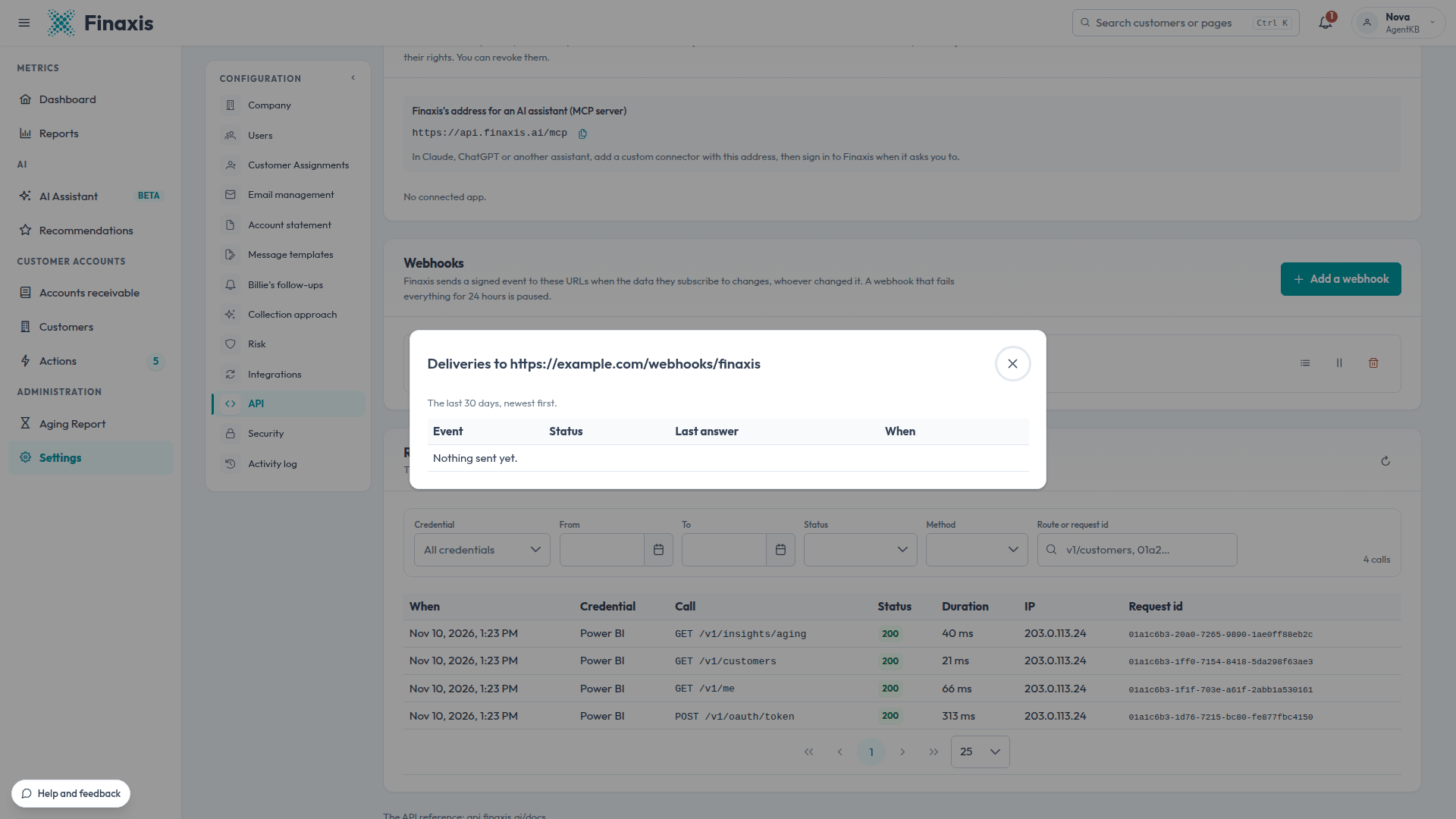
Each webhook keeps a delivery log of the last 30 days. It shows what Finaxis sent, what your system answered, and what Finaxis will try again. When your system was down or answered with an error, fix it, then send the missed events again from the log.
Before you start
- The webhook is listed under Webhooks on the API page, in Settings for a service account or in My Profile for your own credentials. To add one, see Add a webhook.
Open the delivery log
- On the API page, under Webhooks, find the webhook's row.
- Click Delivery log.
- Read the list, newest first: the event, its status, your system's last answer, when it was sent, the number of tries and the next one.
Send an event again
- Fix what made your system fail, using its last answer in the log.
- On the event's line, click Send again. It goes out within a minute.
How Finaxis retries
- Your system answers each event with a success code within 10 seconds. Otherwise, the delivery counts as failed.
- Finaxis tries again for 24 hours, at longer and longer intervals.
- A webhook whose deliveries all fail for 24 hours is paused, and Finaxis notifies the administrators. To start it again, see Pause, resume or delete a webhook.
- An event can arrive more than once. Its id lets your system ignore the duplicate.
Troubleshooting
| Situation | What to do |
|---|---|
| Every delivery fails | Read your system's last answer in the log. Check that the address is reachable over HTTPS and that your system answers within 10 seconds. |
| The webhook is Paused and you did not pause it | Its deliveries failed for 24 hours. Fix the system, click Resume, then send the missed events again. |
| Your system received the same event twice | That is expected after a retry. Ignore events whose id your system already processed. |
| An event older than 30 days is missing | The log keeps 30 days. Read the data through the API instead. |
A delivery still fails? Write to support@finaxis.ai with the webhook address and the time of the event, and our team will help you.
Related articles
Can't find what you're looking for?
Our support team is here to help.