Ask the AI assistant about your receivables
Billie is the AI assistant built into Finaxis. It answers questions about your accounts receivable in plain language, in English or French, using your live data. It can also prepare collection emails for you, but it never sends anything on its own.
Before you start
- Your customers and invoices must already be in Finaxis. The assistant reads the same data as the rest of the platform.
- The assistant answers in the language of your interface. Switch the interface language to get answers in the other language.
Open the assistant
- In the left menu, under AI, click AI Assistant.
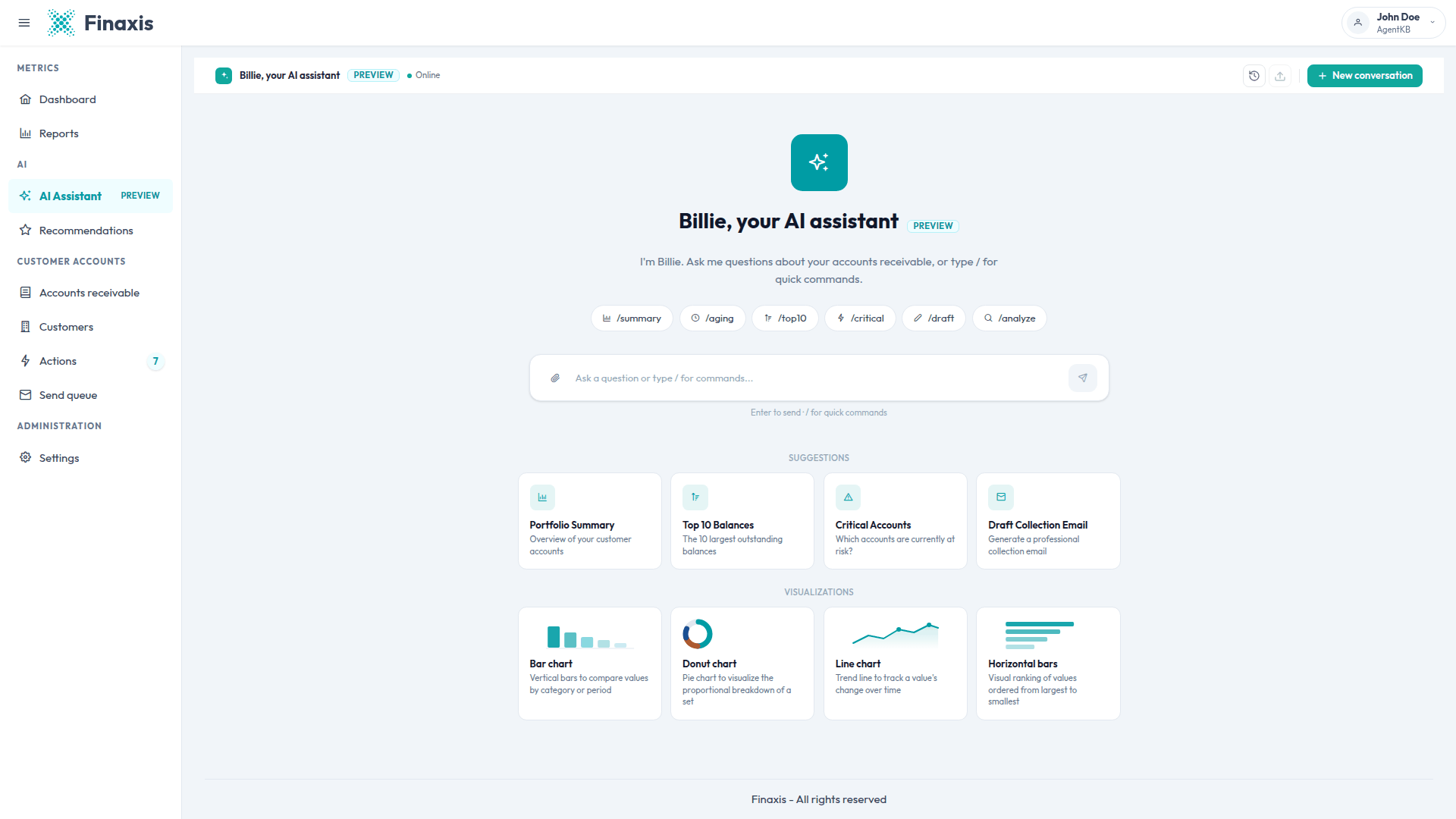
- The welcome screen opens with the quick command pills, the SUGGESTIONS cards, and the VISUALIZATIONS cards.
- Type your question in the field at the bottom, then press Enter. Use Shift and Enter together to add a line break instead of sending.
Ask a question in your own words
You do not need a special syntax. Ask about one customer or about your whole portfolio, then follow up in the same conversation. The assistant keeps track of the customer you are discussing, so a short follow-up such as "and their payment history?" still applies to that customer.
- About one customer: their outstanding balance, their invoices, their payment habits, the reminders already sent, and the replies received.
- About your portfolio: total outstanding, aging breakdown, at-risk accounts, collection performance, expected cash over the coming weeks, and pending follow-ups.
- About your team: the balances and follow-ups of the customers assigned to each person.
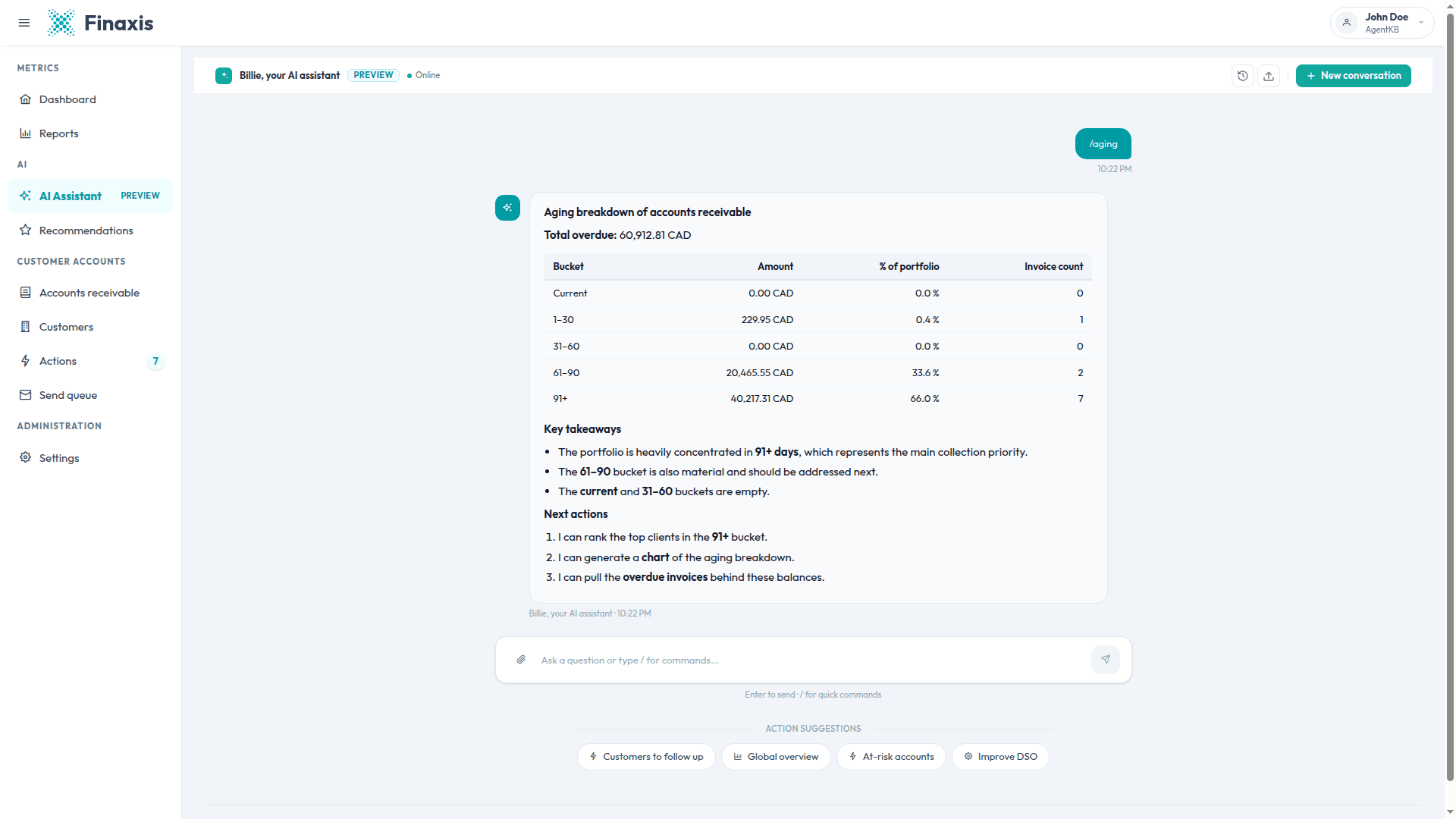
Please note: The assistant only answers questions about your receivables, your customers, and your collections. It politely declines anything outside that scope.
Use the quick commands
- Type / in the question field. A list of commands appears above the field.
- Use the arrow keys to highlight a command, then press Enter or Tab to insert it. Press Escape to close the list.
- Press Enter again to run the command. You can also click one of the command pills on the welcome screen.
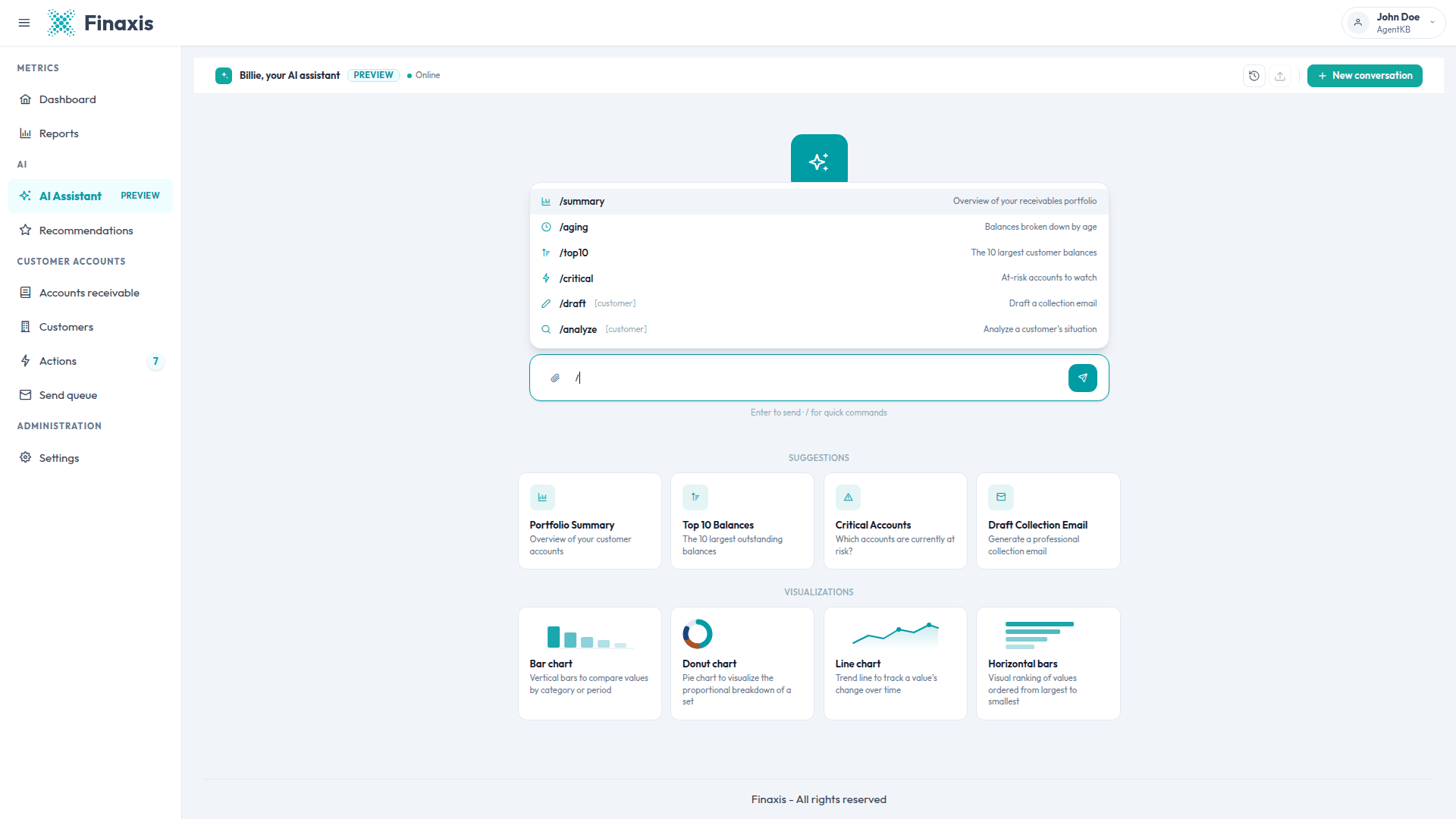
| Command | What you get |
|---|---|
| /summary | Overview of your receivables portfolio |
| /aging | Balances broken down by age |
| /top10 | The 10 largest customer balances |
| /critical | At-risk accounts to watch |
| /draft [customer] | Draft a collection email for that customer |
| /analyze [customer] | Analyze that customer's situation |
Please note: The last two commands accept a customer name right after the command, for example /draft Garage Auto Pro. The assistant then works on that customer without asking you again.
Get a chart of your data
Ask for a chart in your question, for example "show me a chart of the aging breakdown", or click one of the VISUALIZATIONS cards on the welcome screen. The assistant draws bar charts, horizontal bars, line charts, and pie charts directly in the conversation.
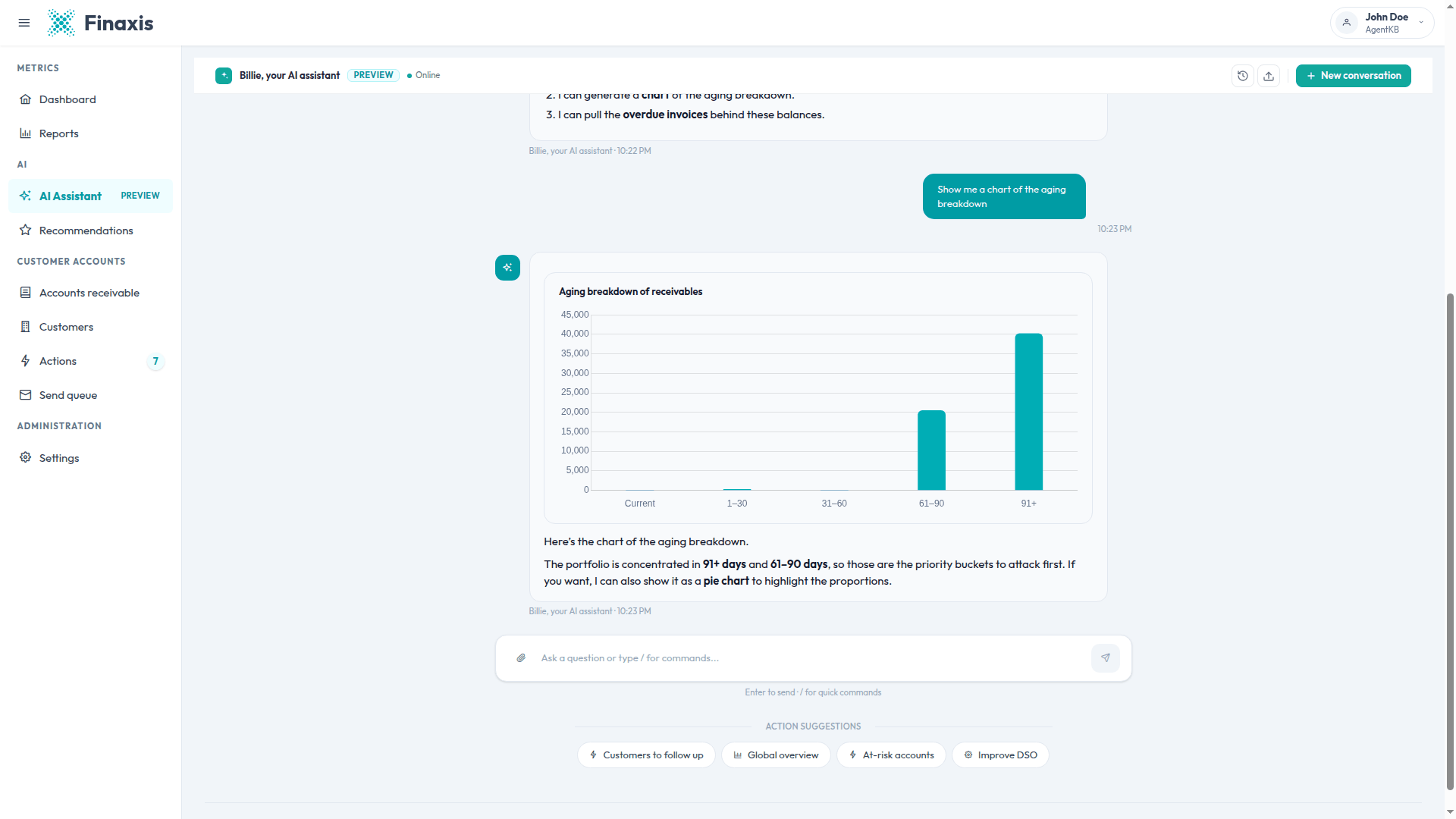
- Charts of your portfolio are built from data the assistant actually looked up. When the history behind a requested chart type is missing, it draws a clearly labeled example instead.
- With very few data points, the assistant answers in text instead, unless you insist on a chart.
- Ask for another format, such as a pie chart, and the assistant redraws the same data.
What the assistant can and cannot do
- It reads your real data. Every figure in an answer comes from a lookup in Finaxis, and invoices are always identified by their invoice number.
- It can prepare a collection email or an SMS, add an internal note to a customer, cancel a draft, and generate an account statement.
- It never sends a message. Prepared messages wait for you on the Actions page.
- It cannot rewrite the subject or the body of an existing draft from the conversation. Open the draft on the Actions page to edit it.
- Each conversation is private to you. Your colleagues never see it, and its content is stored encrypted.
Troubleshoot the assistant
| Situation | What to do |
|---|---|
| The assistant says it cannot find the customer | Check the spelling against the Customers page. The assistant also tries shorter forms of the name, and asks you to confirm when the match is uncertain. |
| The answer stops or an error mentions the length of the conversation | The conversation has become too long. Click New conversation and ask your question again. |
| A message says you reached a usage limit | Finaxis limits how much work a single conversation and a single user can request. Start a new conversation, or try again later. |
| The answer is in the wrong language | Answers follow your interface language. Switch the interface language, then ask again. Prepared messages follow the customer's language instead. |
| A figure does not match another page | Both come from the same data, but a page you left open can be stale. Refresh the page, then compare again. |
The assistant did not answer the way you expected? Write to support@finaxis.ai with your question and our team will help you.
Related articles
Can't find what you're looking for?
Our support team is here to help.