Manage your AI assistant conversations
Finaxis saves every conversation you have with the AI assistant and gives it a title automatically. Your conversations are private to your account: nobody else on your team can open them.
Reopen a past conversation
- Open AI Assistant in the left menu.
- In the top bar, click View conversation history. A panel opens on the right.
- Conversations are listed from the most recent, with their title and their number of messages.
- Click a conversation to reopen it with all of its answers and charts.
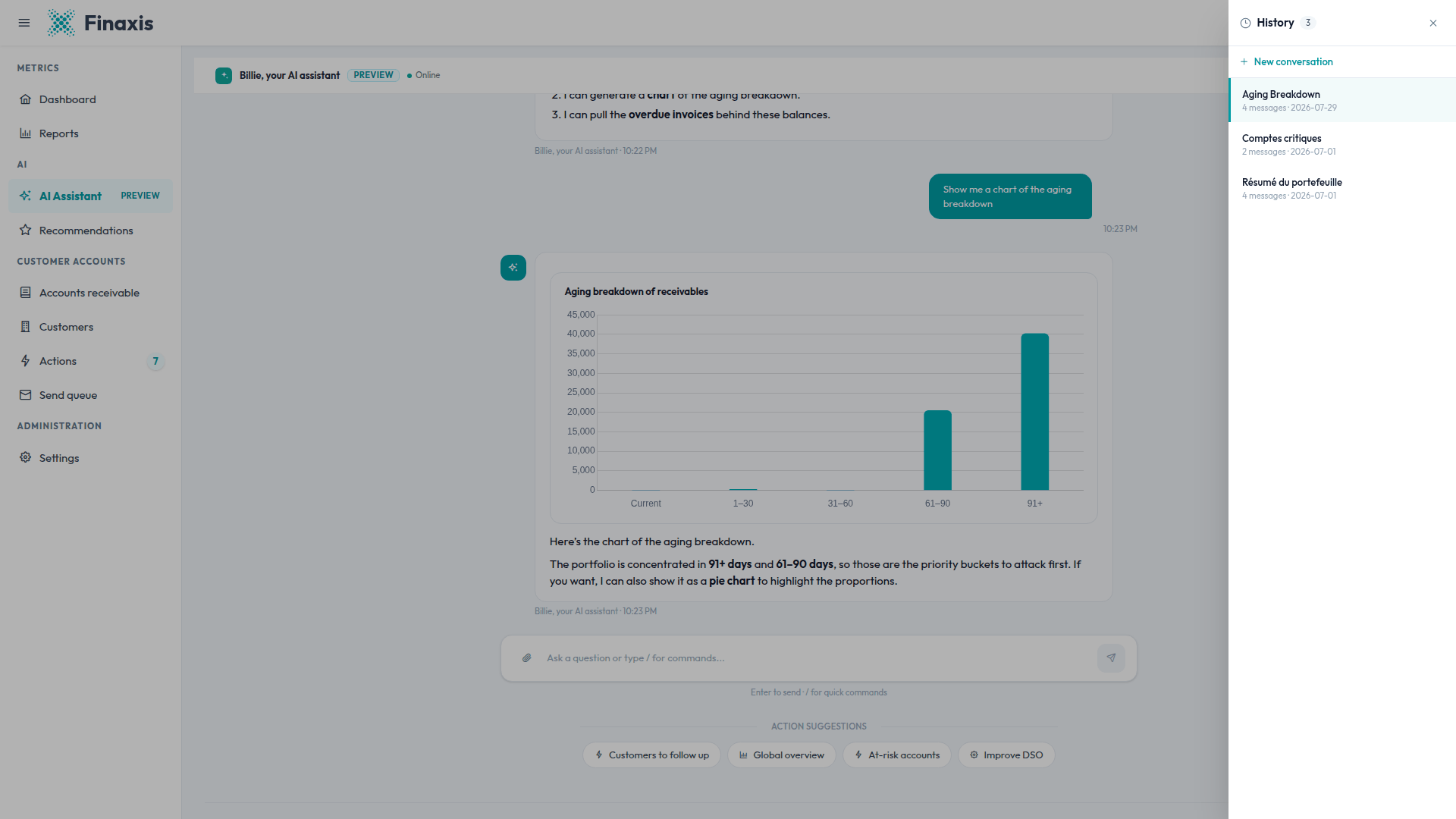
Please note: The title comes from your first question, in your language. A conversation started with a quick command takes the name of that command.
Start a new conversation
Click New conversation in the top bar. Start a new one whenever you change subject, and whenever a long conversation starts to answer poorly: the assistant keeps a limited amount of history, so a fresh conversation gives it a clean context.
Export a conversation
- Open the conversation you want to keep.
- Click Export in the top bar. The button stays greyed out as long as the conversation is empty.
- Finaxis downloads the conversation as a text file that includes every question and every answer, with links back to the customers and follow-ups mentioned.
Delete a conversation
- Open the history panel.
- Point at the conversation, then click the trash icon on its row.
- Confirm in the dialog that appears.
Please note: Deleting is permanent. The conversation and all of its messages are removed, and there is no archive to restore them from. Export the conversation first if you want to keep a copy.
Privacy of your conversations
- A conversation belongs to the person who started it, in the Finaxis account where it was started.
- Opening someone else's conversation link is refused, and Finaxis brings you back to a new conversation.
- Titles, messages, and attachments are stored encrypted.
- Deleting a conversation does not delete the drafts it produced. Those live on the Actions page.
Troubleshoot conversations
| Situation | What to do |
|---|---|
| The Export button is greyed out | The conversation is still empty. Ask your question first, then export. |
| You deleted a conversation by mistake | A deleted conversation cannot be recovered. Export the ones you want to keep before deleting them. |
| A link to a colleague's conversation does not open | Conversations are private to each user. Ask your colleague to export theirs and send you the file. |
| A long conversation answers poorly | Only part of a long exchange stays in context. Click New conversation and ask your question again. |
A conversation you need is missing? Write to support@finaxis.ai and our team will help you.
Related articles
Can't find what you're looking for?
Our support team is here to help.