Hands-on guide
OpenClaw and Finaxis: a Collections Assistant That Works on a Schedule
Last updated: · 7 min
Lire en françaisOpenClaw is an open-source personal AI agent that runs on your machine or server and answers in your chat apps. Connected to Finaxis through its MCP server, it can do the preparation work of a collections assistant: read the portal, sort the accounts, prioritize the calls and write the brief, on a schedule.
This guide shows one way to use it with Finaxis: what it produces, how to set it up and the guardrails that stay in Finaxis.
Quick Answer: OpenClaw with Finaxis
- What it does: a morning brief at 8 a.m. on weekdays (overdue balance, customers 91 days and over, three prioritized calls) and, on request, a Monday brief for the CEO
- How: the Finaxis MCP server at https://api.finaxis.ai/mcp, approved in Finaxis with the scopes you choose, and an OpenClaw scheduled job
- What it does not do: change anything in Finaxis with read scopes; the calls stay with a person
- Traceability: every call in the request log, and the connection revocable in a click
What the assistant prepares every morning
At 8 a.m. on weekdays, OpenClaw reads the portal through the Finaxis MCP server and writes the brief a collections assistant would prepare before the team arrives. On the demo portal, with fictitious customers, it produced:
- The overdue balance, $60,383.23 over 6 customers, of which $60,083.23 is 91 days and over.
- The 5 customers 91 days and over, each with its balance, its oldest due date and its last known action, for example a payment arrangement recorded on November 9 for full payment on November 14.
- Three prioritized calls, each with its reason and its opening sentence: Good morning, what payment date can you confirm for the $14,601.83 due since January 20?
- An alert about itself: one of its two Finaxis connections answered 401, and it said so instead of ignoring it.
Nothing was written to Finaxis. The assistant prepares; a person calls.
Set it up in three steps
Follow Connect OpenClaw to Finaxis to connect the MCP server and approve it in Finaxis with the read scopes. Then schedule the brief:
openclaw cron add --name "Morning collections brief" --cron "0 8 * * 1-5" --tz America/Toronto --no-deliver \
  --message "You are the collections assistant. With the finaxis MCP server, prepare the morning brief: the overdue balance by aging bucket, the customers 91 days and over with their oldest due date and last collection action, then 3 prioritized calls with the reason and the first sentence to say. Read only: change nothing in Finaxis."
Run it once to check it, then read what it wrote:
openclaw cron run <job id>
openclaw cron runs <job id>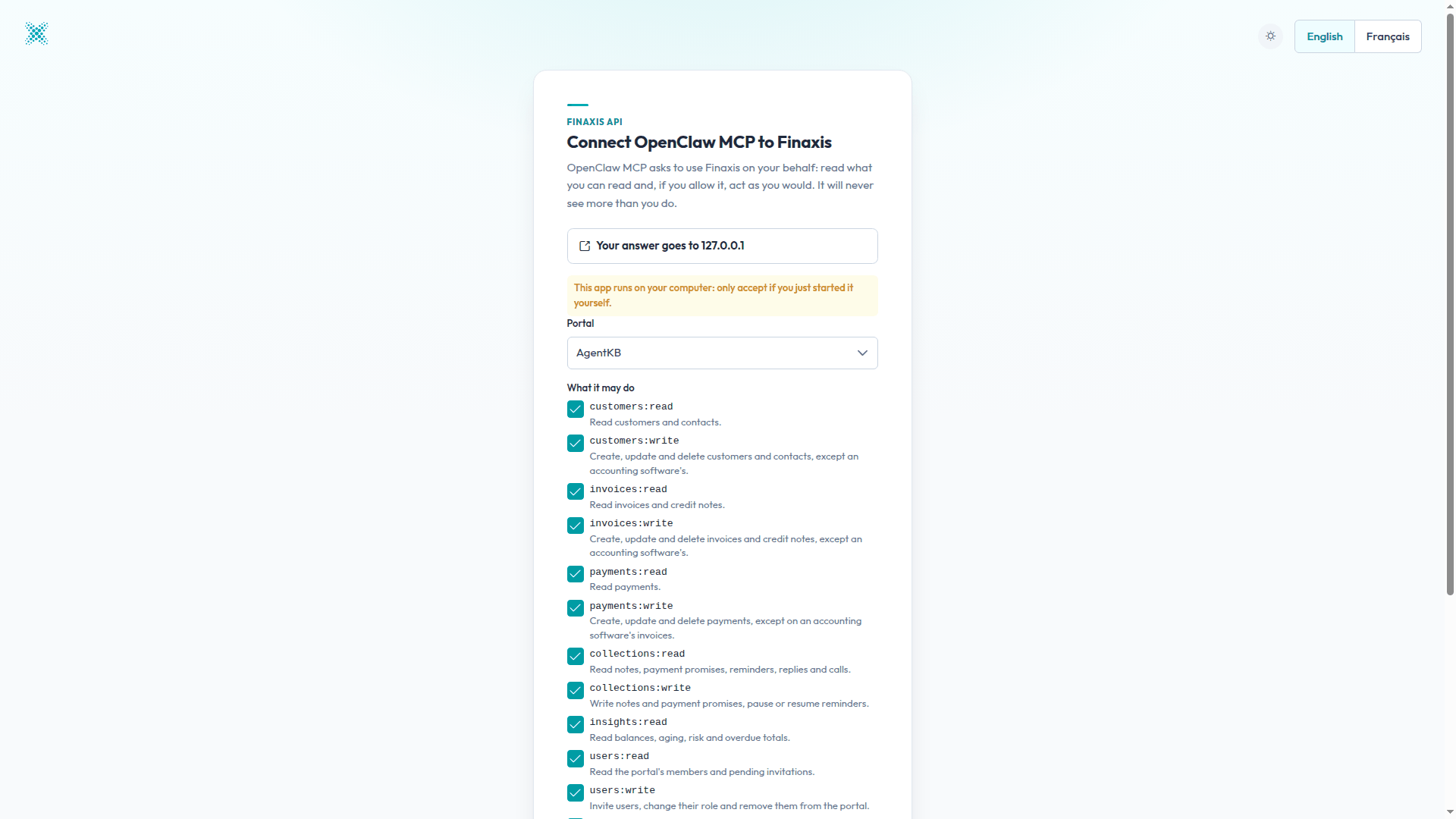
The Monday brief for the CEO
The same assistant, asked to play the CFO, compiled six months of payments, the week's changes in the activity log and the payment arrangements to come. The receipts it found on the demo portal:
| Month | Receipts (CAD) |
|---|---|
| May 2026 | 74,210.65 |
| June 2026 | 92,636.49 |
| July 2026 | 195,972.39 |
| August 2026 | 110,222.45 |
| September 2026 | 11,612.48 |
| October 2026 | 1,092.27 |
| Total | 485,746.73 |
- Concentration: one customer holds 71.4% of the overdue balance.
- Arrangement to come: one, for $43,115.63 on November 14, which it called a commitment, not a receipt.
- What it flagged on its own: the drop in receipts in September and October, and payer records it could not find. It recommended a reconciliation before concluding that cash was deteriorating.
The guardrails stay in Finaxis
- The scopes you approve: with the read scopes alone, OpenClaw sees eight read tools and no write tool.
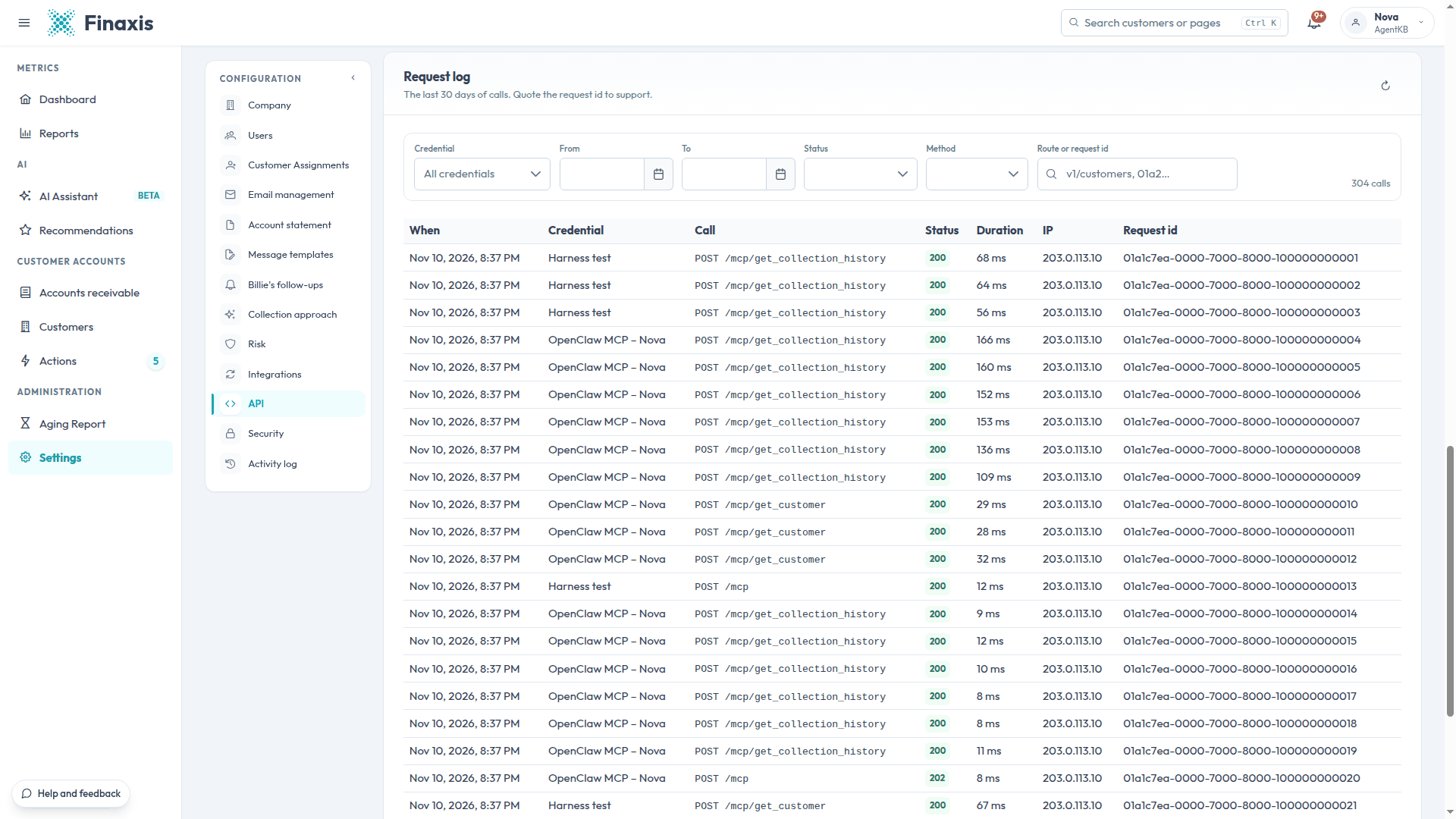
- Everything is traced: each call appears in the request log as OpenClaw MCP – member, and the connection can be revoked in a click.
- The rhythm is yours: OpenClaw wakes the agent every 30 minutes by default. Turn it off if the assistant should work only on schedule.
Your own access or a service account?
A brief prepared for you can use your own access: OpenClaw renews it by itself. An assistant that serves a whole channel, or runs on a server for the company, should use a service account limited to what the job needs. See Choose how an AI agent connects to Finaxis.
This test ran on November 10, 2026, on a Finaxis demo portal connected to a QuickBooks demo company with fictitious customers, with OpenClaw 2026.11 and read-only access. The figures above come from that portal, not from a customer.
Frequently Asked Questions
Does OpenClaw see everything in Finaxis?
It sees what the scopes you approve allow, and never more than the rights of the person who connected it. With the read scopes alone, it gets eight read tools and no write tool.
Should a scheduled brief use my access or a service account?
A brief prepared for you can use your own access, which OpenClaw renews by itself. An assistant that works for a whole team or on a server should use a service account limited to what the job needs.
How do I stop the assistant?
Revoke its connection in Finaxis, under Settings, API, Connected apps. It stops at once, without your password.