Get an AI analysis of a customer
Before calling a customer, you can ask Finaxis for a full reading of their account. The AI analysis summarizes the situation with real figures, sets a risk level, and proposes the collection actions to take next.
Before you start
- You only need the right to view customers. No sending rights are required.
- The analysis is written in the language of your interface.
Open the analysis
- In the left menu, click Customers, then open the customer.
- Stay on the Overview tab. The Billie panel appears under the account figures.
- Click Detailed analysis on the right of that panel.
- The analysis starts right away. Leave the window open while it is being written.
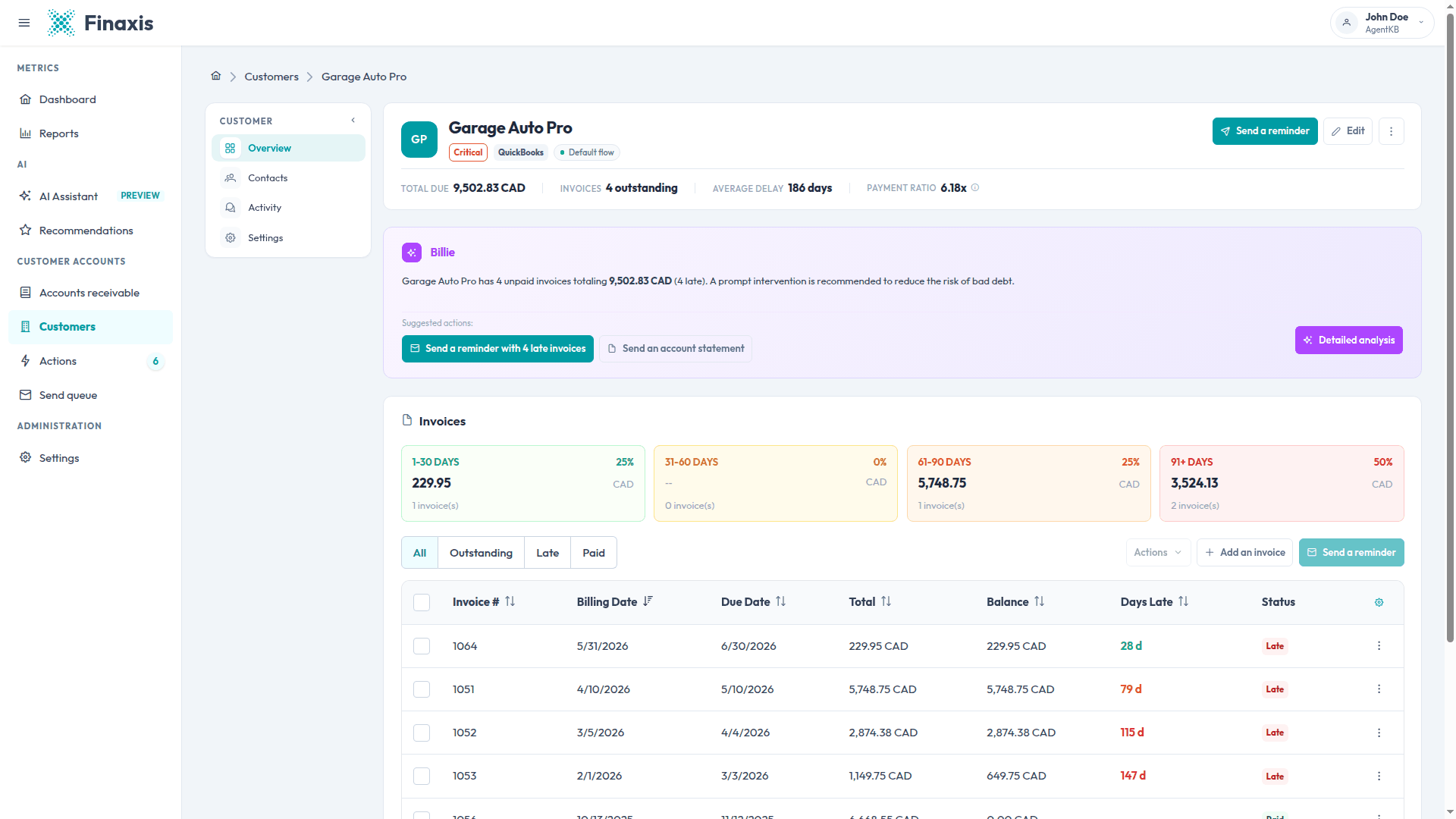
Please note: The summary sentence and the suggested action buttons in the panel are an instant reading of the invoice data. Only the content of the analysis window is written by the AI.
Read the analysis
The window opens on two sections. Key Insights covers the outstanding balance, payment behavior, the age of the balance, recent exchanges, and a risk level. Recommendations lists the collection actions to take, in order of priority.
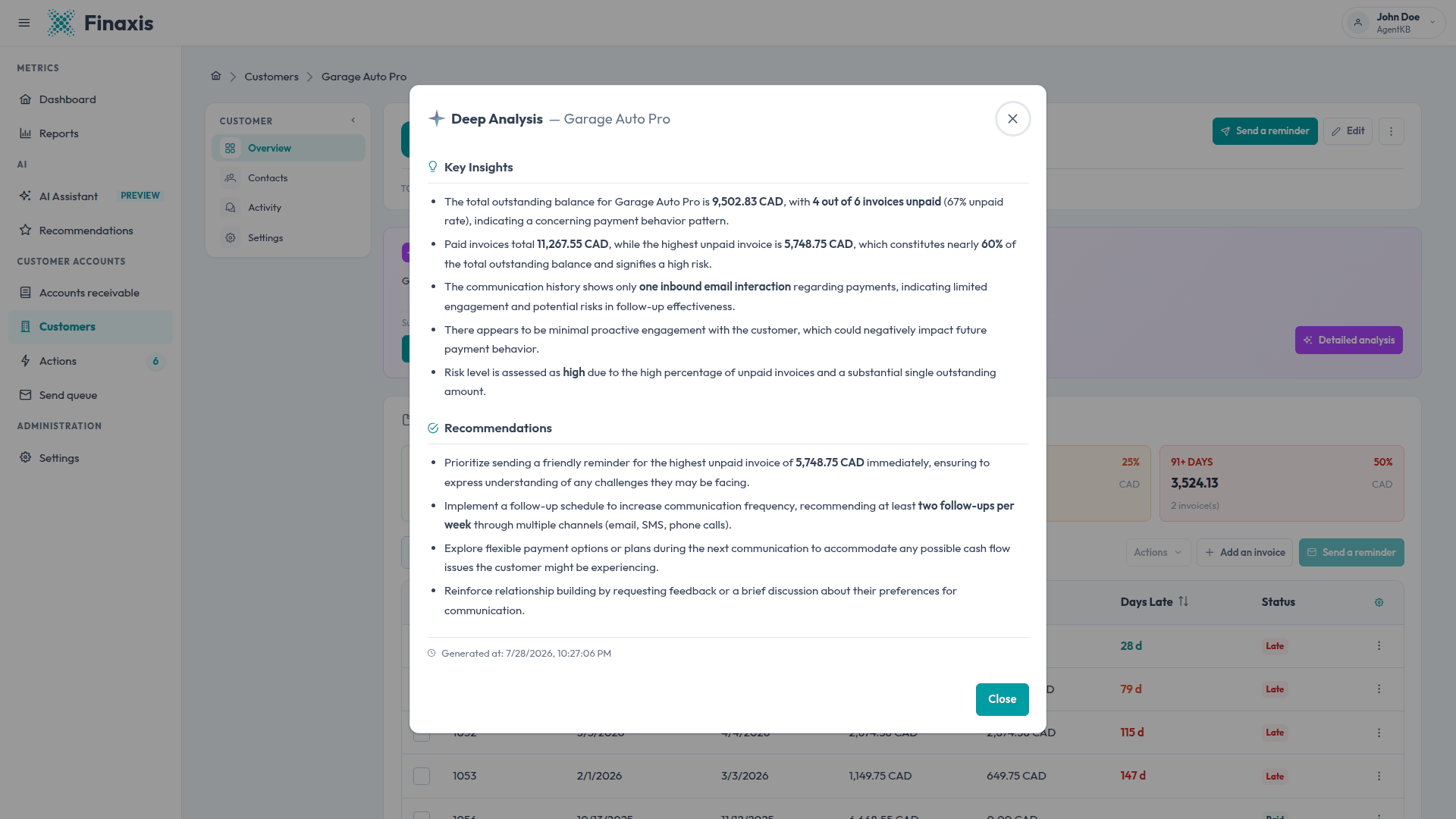
- Amounts and counts come from the customer's real invoices and are highlighted in the text.
- The risk level is stated as low, medium, or high, with the reasons behind it.
- A customer who owes nothing gets a short analysis stating that no action is needed.
- The date under the analysis tells you when it was written.
Know how fresh the analysis is
- Finaxis keeps an analysis for about an hour, so reopening the window is instant.
- Any activity on the account, a new invoice, a payment, a note, a reminder sent, or a customer reply, clears it. The next opening writes a fresh one.
- After an accounting synchronization, allow up to an hour for invoice changes to be reflected.
- Switching the interface language writes the analysis once in that language, then keeps both versions.
Please note: The Recommendations page in the left menu is a different feature. It organizes your daily follow-ups across all customers, while this analysis reads one customer in depth.
Act on the analysis
- Close the window when you are done reading.
- Use Send a reminder in the Billie panel to follow up on the late invoices right away.
- Use Send an account statement to give the customer the full picture of what they owe.
- Write down what you learn in the customer's internal notes, so the next analysis takes it into account.
Troubleshoot the analysis
| Situation | What to do |
|---|---|
| The Billie panel does not appear | The customer data is still loading. Reload the customer page. |
| The suggested action buttons are missing | They show up when the customer has unpaid invoices and at least one contact. Add a contact, or check the invoices. |
| An error message appears | Use the retry option in the window. If it happens again, close the window and open the analysis a minute later. |
| The date under the analysis is older than today | You are reading the version kept from a previous opening. It is refreshed automatically after activity on the account. |
| The analysis mentions little about the customer | It reads what Finaxis knows: invoices, notes, exchanges, and connected data. Add internal notes to give it more context. |
Questions about an analysis? Write to [email protected] and our team will help you.
Related articles
Can't find what you're looking for?
Our support team is here to help.