Understand aging columns and payment risk
Every number on the accounts receivable list comes from your invoices, recalculated on the spot. Accountants know this view as an aging report, and QuickBooks publishes the same thing as its accounts receivable aging summary. This article explains the three rules behind the numbers: which invoices count, which column each amount lands in, and how the payment risk badge is decided.
Which invoices count
An invoice appears in the accounts receivable list as long as part of it is still owed. The amount Finaxis reports is the invoice total minus the payments recorded against it, so a partly paid invoice contributes only its remaining balance. A fully paid invoice contributes nothing, and a customer whose invoices are all settled leaves the list entirely.
- Credit notes and payments reduce the balance as soon as they reach Finaxis.
- Amounts are converted into your display currency. Change the currency and the whole list is recalculated.
- Nothing is written back to your accounting software. Finaxis reads your invoices, it never changes them.
Which column an amount lands in
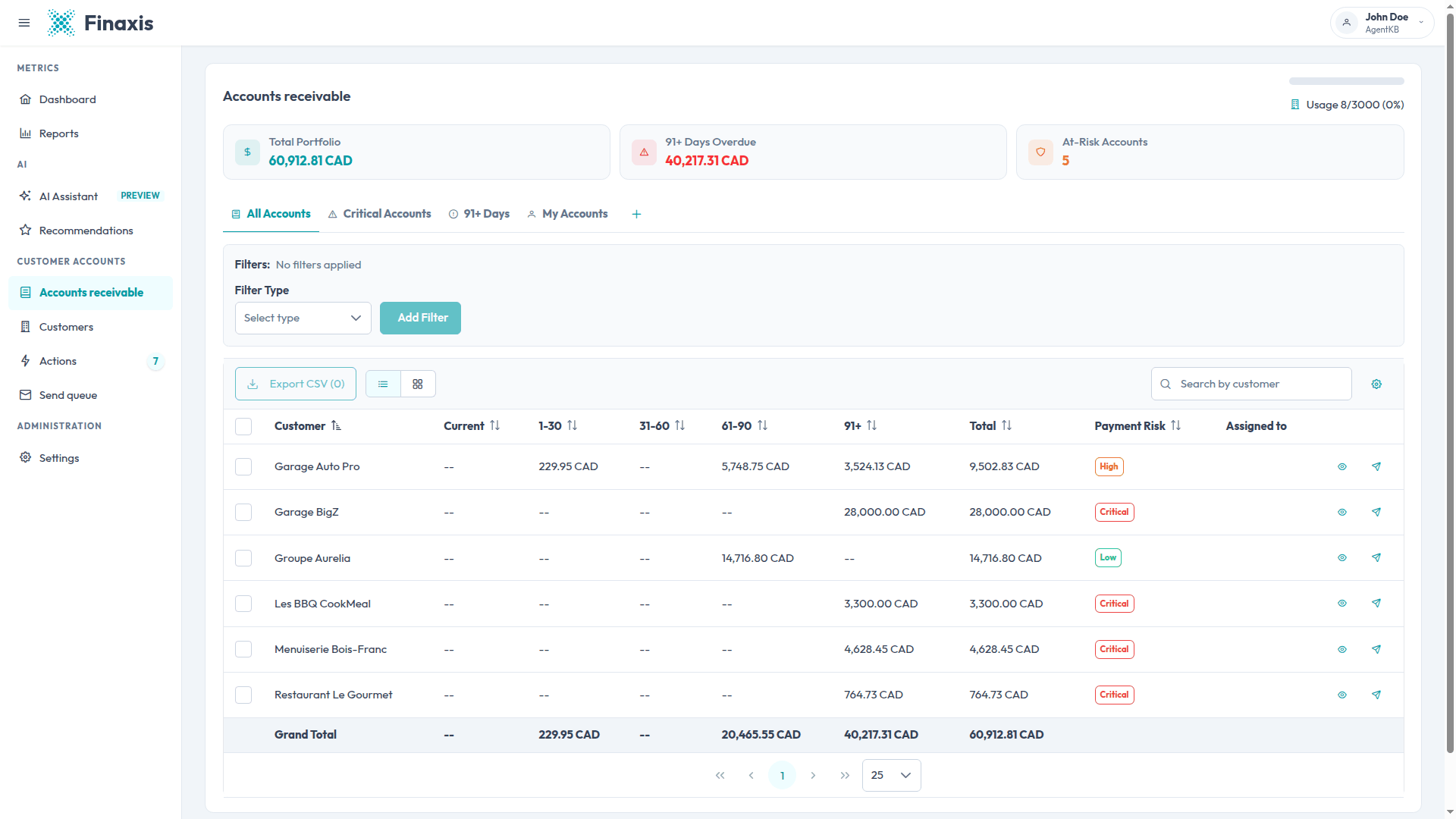
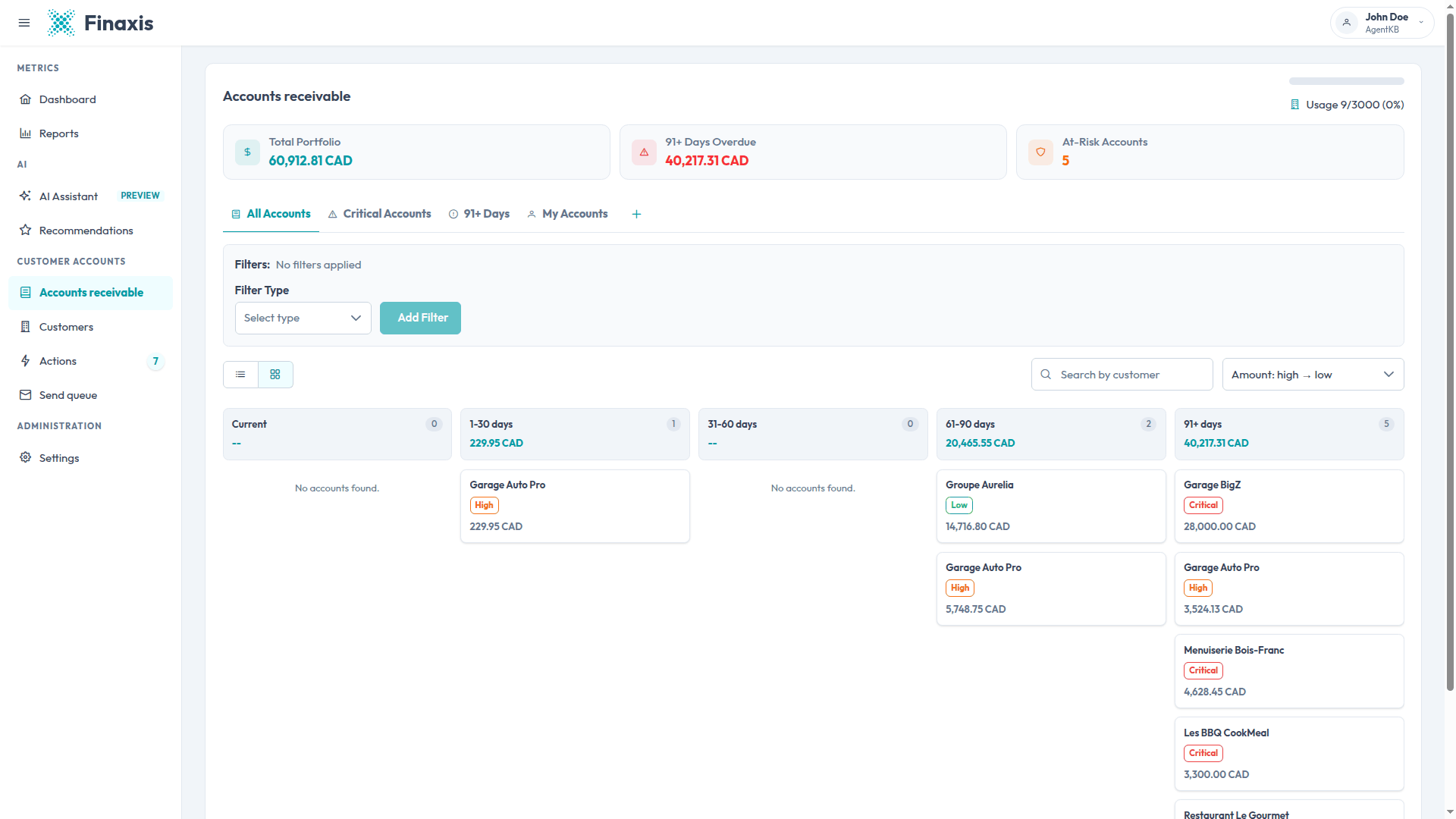
Finaxis ages each invoice from its due date. When an invoice carries no due date, it falls back to the billing date.
| Column | The invoice date is |
|---|---|
| Current | Today or later, so the money is not due yet. |
| 1-30 | One to 30 days in the past. |
| 31-60 | 31 to 60 days in the past. |
| 61-90 | 61 to 90 days in the past. |
| 91+ | More than 90 days in the past. |
Please note: An invoice that carries neither a due date nor a billing date is counted as Current. It still shows in the customer's total, so nothing is lost, but it is not treated as late until a date reaches Finaxis.
How the payment risk badge is decided
The Payment Risk badge on the accounts receivable list reads how the customer's balance is spread across the columns. The rules are checked in order, and the first one that matches sets the level.
| Level | Applies when |
|---|---|
| Critical | More than 40% of the balance sits in 91+, or the account carries any 91+ amount on a balance above $150,000. |
| High | More than 10% of the balance sits in 91+, or more than 30% sits in 61-90. |
| Moderate | Any amount at all sits in 61-90, or more than 30% sits in 31-60. |
| Low | None of the above. A balance that is entirely current is always Low. |
The badge is about the shape of the balance, not its size. A small account that is entirely 91+ reads Critical, and a large account paid on schedule reads Low. That is deliberate: it points you at relationships that are drifting, whatever the dollar figure.
Please note: The same badge appears on a customer record, where it means something different: there it reflects how the customer has paid you in the past. On the accounts receivable list it reflects what the customer owes you today. The two can disagree, and both are useful.
When the numbers refresh
Finaxis recalculates the list whenever your accounting data comes in, and whenever an invoice or a payment changes on its side. Between those events the figures are held so the page opens instantly, and they are refreshed at least once a day.
- A synchronization with your accounting software refreshes the whole list.
- Recording a payment or editing an invoice total refreshes it too.
- Because the columns are measured against today's date, an invoice moves from one column to the next on its own as it ages.
Troubleshoot the numbers
| Situation | Why |
|---|---|
| An overdue invoice sits in Current | It reached Finaxis without a due date or a billing date. Add a due date in your accounting software and synchronize. |
| A customer's total does not match your accounting software | A payment has probably not been imported yet. Run a synchronization, then compare again. |
| An amount looks wrong after a currency change | Finaxis converts with the exchange rates on your instance. An invoice in a currency with no rate is counted at face value. |
| The risk badge did not move after a payment | The badge follows the share of the balance in each column, not the amount paid. Paying the newest invoices can even raise the level. |
A number you cannot explain? Write to [email protected] with the customer name and the invoice number, and our team will trace it with you.
Related articles
Can't find what you're looking for?
Our support team is here to help.